
SuiteProjects Pro Quick Tips

NetSuite Connector: 5 Mapping Types for SuiteProjects Pro
By Hannah Mitchell |
The NetSuite Connector offers advanced mapping capabilities beyond standard field-to-field mappings. Advanced mappings allow organizations to determine how data is transferred between NetSuite and SuiteProjects Pro, helping to accommodate business needs and reduce manual data entry between systems. Below are some of the most commonly used mapping types, when to leverage each, and practical examples…
Read More 
Sharing Project Summaries as Project Status Updates in SuiteProjects Pro
By Alexis Jackson |
Keep stakeholders informed with project summaries SuiteProjects Pro enables you to share a project summary directly to the project news feed as a status update. This helps you communicate key project information to stakeholders and keep everyone who has access to the news feed informed. Once you have created and saved a project summary, you…
Read More 
Time Project Billing Revenue Recognition with an Inactive Time Billing Rule in SuiteProjects Pro
By Tres Churchill |
The NetSuite SuiteProjects Pro revenue recognition rule type Time project billing allows the user to recognize revenue from charges that have been – or would be – created by selected time billing rules. If you try to create the rule without a time billing rule, you will receive a ‘You must first create at least…
Read More 
SuiteProjects Pro: How to Copy Phases and Tasks to an Existing Project
By Fernand Perez |
Normally when creating a new Project, you can copy the Phases/Tasks from the Project template. There are instances that if you need to add more Phases/Tasks and the Project already exists, you need to manually add them 1 by 1 which is time consuming. If the same Phases/Tasks structure already exist from an existing Project…
Read More 
How to Automatically Create a New Timesheet in SuiteProjects Pro
By Shane Beaver |
Scenario: A problem almost all organizations have is ensuring that their time is entered and submitted promptly. By utilizing this feature, you can help automate away one of the pain points for many users. Which is simply creating the timesheet in the first place. An administrator can set up a timesheet rule to automatically create…
Read More 
How to Use Timesheet Adjustments in SuiteProjects Pro to Correct Project Billing and Financials
By Hannah Mitchell |
Time entry mistakes happen, and in some cases, those errors may make their way onto a client invoice. Understanding how to use the Timesheet Adjustment feature in SuiteProjects Pro is essential for correcting time entries, ensuring accurate client billing, and keeping project financials up to date. In the example below, we will review how to…
Read More 
Right Person, Right Project: Compare Resources Before You Book in SuiteProjects Pro
By Spica Rocafort |
When you need a resource in a project, Resource Compare View lets you review potential resources side by side before creating a booking. Compare availability, skills, and other employee details to identify the best fit. If your account uses resource skills, you can display those skills in Compare View to help identify the most suitable…
Read More 
SuiteProjects Pro: How to Create a Custom Dropdown Field with Color-Coded Values
By Larence Dionisio |
One of the cool features of SuiteProjects Pro that is seldomly utilized is the ability to create a custom dropdown field that changes the background color of the field when shown in a List View and Reports depending on the value selected. Steps to create a custom dropdown field with a background color: With appropriate…
Read More 
How to Un-Export Transactions in SuiteProjects Pro
By Alexis Jackson |
SuiteProjects Pro now provides enhanced flexibility for managing exported transactions through the Integration Manager un-export feature. In addition to the existing ability to mark transactions as un-exported, users can now specify the application to which the transaction was exported and choose whether to un-export the parent record, child record, or both. This functionality provides greater…
Read More 
Task Dependencies in the SuiteProjects Pro Project Center Gantt View
By Rob Schein |
Beyond simply listing tasks and dates, the Project Center Gantt view lets you map how tasks relate to one another — and that’s where schedule risk usually hides. By setting task Predecessors, you can link dependent tasks together, so the Gantt view visually shows the sequence of work, not just a flat list. The Gantt…
Read More 
Leverage AI to Populate Project Summaries in SuiteProjects Pro
By Jonathan Sitterley |
Populating a project snapshot with all of the relevant information can be a time-consuming process and increasingly difficult as the number of projects scale. New in the Spring 2026 release, SuiteProjects Pro now offers a project summary feature that can be pre populated with AI insights to save your team time. The team can make…
Read More 
How to Include Inactive Projects in SuiteProjects Pro Crosstabbed Reports
By Bianca Marinca |
When running a Crosstabbed report for Projects in SuiteProjects Pro the report will omit Projects that don’t have any activity. It’s possible to trigger the system to include a Project by creating a custom calculation for the project Budget. In order to create the Budget custom calculation, we first need to create a Constant. Steps…
Read More 
SuiteProjects Pro Project Recalculation Optimization
By Richard Cainglet |
Large projects can take longer to update when every task is recalculated after a change. SuiteProjects Pro now includes an optimization that limits recalculation to only the affected tasks, improving performance and responsiveness. By default, when a task is created, duplicated, deleted, modified, moved, or copied, the system recalculates all tasks associated with the project.…
Read More 
How to Divide Planned Hours in SuiteProjects Pro
By Gio Pineda |
By default, when an account is set up to enter planned hours for each assigned user, assigning an Assignment Group to a task applies the planned hours to each member of the group. For example, if you enter 20 planned hours for a task and assign an Assignment Group with 5 members, each member is…
Read More 
How to Automatically Classify Project Transactions in NetSuite
By Jimmy Morales |
Finding ways to API, CSV, Workflow, Script or Manually update transactions so that they align with Project-level Classification in Netsuite are a breeze with the Oracle “Project Classification” SuiteApp. This SuiteApp will allow you to segment Projects (adding custom Department, Location, and Class Classifications) and derive Transactional Columns or Headers from those Projects in Netsuite.…
Read More 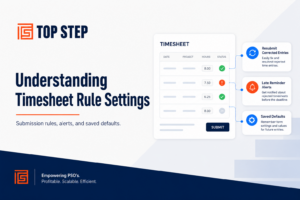
Understanding Timesheet Rule Settings in SuiteProjects Pro
By Alexis Jackson |
Timesheet Rules help control how users create, submit, and manage timesheets. The following settings allow administrators to customize system behavior for common timesheet scenarios. Ignore Rules on Submission of Timesheets with Individually Rejected Time Entries What this setting does When enabled, this setting ignores a user’s personal Timesheet Rules when they resubmit a timesheet that…
Read More 
Set Default Approvers on New SuiteProjects Pro Projects
By James Owen |
If your team creates a high volume of new SuiteProjects Pro projects, you can save time and reduce setup errors by pre‑defining default Project Approval values on new projects. This ensures every new project starts with the correct approval structure — no more manual cleanup later. Why it matters. Can ensure consistent approval routing across…
Read More 
Update Tasks in Bulk Using the SuiteProjects Pro Task Worksheet
By Alexandra Goodrich |
One of the view options under Projects > Phases/Tasks that is often overlooked or underutilized is the Task Worksheet. While the Worksheet grid is a bit less aesthetically pleasing than the Outline or List views, it offers some unique advantages and functionality to make bulk changes to tasks that the other views don’t. Additionally, the…
Read More 
Resource Utilization Overview in the SuiteProjects Pro Resource Booking Planner
By Kim Albanese |
The resource utilization overview is the default resource booking planner view. It shows a list of resources and bookings with a graphical overview of bookings and utilization for each resource over a period of time. To access the resource utilization overview, go to Resources > Bookings > Planner and click Resource in the resource booking planner toolbar.…
Read More 
How to Round Time Entries in SuiteProjects Pro Billing Rules
By Robert Giordano |
If you need detailed time entries for internal purposes but don’t want to invoice the customer on granular basis, you can add rounding rules to the billing rules to round out time charges. To do this navigate to Projects -> (select your project) -> Financials -> Billing and select the Time billing Rule and enter…
Read More 
Close all Sub-tasks When Closing a Phase in SuiteProjects Pro
By Tres Churchill |
The SuiteProjects Pro PSA tool offers many options for streamlining your management of project task structure, user access, and permissions related to project management. One feature that helps in this regard is the setting Closing a phase will close all sub-phases and sub-tasks within that phase which allows you to close multiple tasks at once,…
Read More 
SuiteProjects Pro: How to Delete Expense Report Attachments in Bulk
By Fernand Perez |
Once an Expense report is no longer in Open status, attachments can no longer be deleted directly. You would need to unapprove the report and delete the attachments one by one. By using the Expense report attachment deletion wizard, you can delete attachments in bulk from either Approved or Reimbursed Expense reports. To use this…
Read More 
Saving Time by Copying Bookings in SuiteProjects Pro
By Shane Beaver |
Project templates can include bookings, which are automatically carried over when you create a new project from a template. This means your staffing setup travels with the template, giving you a head start on resourcing from day one. Each booking on the new project is scheduled relative to the project start date, mirroring how the…
Read More 
How to View Actual Hours, Cost, and Time Charges in SuiteProjects Pro Project Center
By Hannah Mitchell |
The Project Center in SuiteProjects Pro is a powerful tool, used to build project plans and forecast resource hours, labor cost, and time billings. In addition to Forecasting, the “Actuals” toggle allows you view actual time worked, labor cost, and billed hours to date while still displaying forecasted data from the current date forward. Viewing…
Read More 
Why Don’t My Projected Hours Match My Booked Hours?
By Spica Rocafort |
If you’ve ever wondered why your projected hours derived from bookings don’t match your booked hours in SuiteProjects Pro, you’re not alone. Charge projections use bookings (depending on your charge projection setting such as Booked, Worked and Booked, or Approved and Booked), but they are calculated on a per day basis. The system breaks down…
Read More 
How to Use Form Permission Rules in SuiteProjects Pro to Display Fields Conditionally
By Larence Dionisio |
Many SuiteProjects Pro accounts contain numerous standard or custom fields that are not always relevant or populated, depending on the value of another field. For example, a custom field such as Project Service Type may determine which additional fields Project Managers or other users need to complete. Certain fields may only need to be populated…
Read More 
How to Set Company Exchange Rates in SuiteProjects Pro
By Alexis Jackson |
SuiteProjects Pro lets you override the market foreign exchange rate value with a company rate for each currency. The company rate is used instead of the market rate for foreign currency receipts created after you set the company rate for that foreign currency. It is also used as the default value of the Exchange rate…
Read More 
NetSuite Connector: Automation vs. Real-Time Processing
By Rob Schein |
The NetSuite Connector in SuiteProjects Pro enables data to move seamlessly between SuiteProjects Pro and NetSuite. With multiple record types to process (often with different priorities) understanding how and when the connector runs is key to ensuring data is transferred at the right time. There are two methods for triggering the connector process. The first…
Read More 
How to Automatically Add a NetSuite Link to Newly Exported SuiteProjects Pro Projects
By Jonathan Sitterley |
It’s common for SuiteProjects Pro to be integrated with NetSuite using the native connector. One frequent frustration for users is having to switch between systems and spend time locating the corresponding project in NetSuite. By adding a link to your project properties in SuiteProjects Pro, you can give users a quick, direct way to navigate…
Read More 
SuiteProjects Pro: Time Project Billing Rule (TPBR) Revenue Recognition
By Tres Churchill |
The SuiteProjects Pro recognition rule type, Time project billing rule (TPBR), recognizes revenue based on approved, billable time entered against a project. The revenue is recognized at the hourly rate assigned to those approved hours, but it is possible to use this feature even if the billing rule is inactive. Setting up billing rules Before…
Read More 
Publishing Your Reports Manually using Business Intelligent (BI) Connector
By Richard Cainglet |
The Business Intelligence Connector is an add-on to SuiteProjects Pro that allows list views and reports built in the application to be fed to other applications or to the SuiteProjects Pro scripting engine. You can publish your saved reports if the Business Intelligence (BI) Connector feature is enabled for your account and if you have…
Read More 
Manage All your Reports with the Report Status Page in SuiteProjects Pro
By Gio Pineda |
Stay on top of your reporting with the Reports Status Page – your central hub for monitoring, managing, and optimizing reports in your account. It gives you visibility into report activity and allows you to quickly address issues such as long-running reports, outdated reports, or scheduled reports that may affect system performance. In SuiteProjects Pro,…
Read More 
How to Utilize the Time Period Cap Option on Time Billing Rules in SuiteProjects Pro
By Sibyl Parsons |
When delivering services with both a Fixed Fee and Time & Materials component, the Fixed Fee portion will often cover only a certain number of hours per week or month. In addition to the Fixed Fee billing rule, create the following Time Billing Rules for your project: First, create a Time Billing Rule using a…
Read More 
Access the SuiteProjects Pro Data Dictionary Instantly with the Shortcuts Feature
By James Owen |
If you’ve worked in SuiteProjects Pro for any length of time, you’ve likely relied on the Data Dictionary. It’s packed with essential reference information that helps you configure, customize, and fine-tune your account to better support your business needs. Because it’s such a valuable resource, quick access matters. This tip shows you how to use…
Read More 
How to Adjust Historical Costs for More Accurate Project Profitability in SuiteProjects Pro
By Alexandra Goodrich |
SuiteProjects Pro offers a solution to update users’ historical costs based on actual utilization via an Advanced Report, delivering more accurate profitability reporting. With this feature, you can run a report to generate users’ actual utilization for a prior period and then prompt the system to automatically populate/update the users’ cost tables with the adjusted…
Read More 
Require Billable “Yes” or “No” Selection on Expense Receipts in SuiteProjects Pro
By Kim Albanese |
The out-of-the box configuration for SuiteProjects Pro includes a “Billable receipt” checkbox on the expense receipt form that allows users to flag an expense as billable (if checked) or nonbillable (if left unchecked). The issue that you may run into, however, is that there is no way to make this field required with form permission…
Read More 
Latest Enhancements to the Project Resource Center in SuiteProjects Pro
By Robert Giordano |
Several usability improvements to the Resource Center in Suite Projects Pro have recently come out to help users filter, view, and edit resource data more efficiently. These updates are available when the Resource Center feature is enabled for your SPP account. What’s New at a Glance Enhanced Advanced Filters Clearer and more descriptive Column names…
Read More 
Enabling Bulk Actions on Planner in SuiteProjects Pro
By Tres Churchill |
The SuiteProjects Pro Resource Booking Planner is a powerful tool that lets you create and modify resource bookings in a user-friendly and dynamic interface. One of the most useful features of this tool is that it allows you to create, modify, or delete bookings in one screen. Enabling Bulk Actions in the Resource Booking Planner…
Read More 
Adjust Timesheet Report PDF to Show all Data in SuiteProjects Pro
By Richard Cainglet |
When downloading a Timesheet Report, not all columns and data are displayed. The Timesheet Report Layout in SuiteProjects Pro is customizable to fit a company’s needs. Users can select which fields to display in the report via a drop-down in the related column. Additionally, users may add text or HTML to the top or end…
Read More 
Control which Timesheet Periods are available to Users in SuiteProjects Pro
By Fernand Perez |
After a period is closed and you want to prevent users from creating timesheets for past dates, you can use the “Enabled timesheet open/closed periods” feature. This feature allows you to specify which specific weeks a user is permitted to create a timesheet. To enable this internal switch, you must contact SuiteProjects Pro Support by…
Read More 
How to Delete Charge Stages in SuiteProjects Pro
By Shane Beaver |
Deleting a Charge Stage is necessary when it is no longer required in your workflow. However, a Charge Stage cannot be deleted if it has existing associations with other records or transactions in SuiteProjects Pro. Understanding how to identify these associations is essential for maintaining accurate project billing and ensuring Charge Stages can be properly…
Read More 
SuiteProjects Pro’s Customizable Next-Generation Homepage
By Spica Rocafort |
SuiteProjects Pro introduces an enhanced homepage, available alongside the classic version, designed to elevate the user experience. This next-generation homepage offers a customizable interface that improves productivity and efficiency. Users can personalize their homepage with relevant lists and reports, making it easy to access key information—such as projects—and track progress in real time for a…
Read More 
How to Allow Contractors or Part Time Employees to Submit Timesheets With Only the Actual Work Performed
By Larence Dionisio |
Most companies require their users to submit the exact or more hours based on users’ regular working hours. Since Timesheet rules are global and enforce all users to submit 100% of their regular working hours on their timesheets, for example, 8 hours a day for 5 days which is equivalent to 40 hours per week,…
Read More 
Using Invoice Layout Terminology to Customize Invoices in SuiteProjects Pro
By Rob Schein |
Invoice layouts are a great way to customize your invoices in SuiteProjects Pro. Layouts allow you to pick and choose from available column headers and subsequent values that some clients might want included while others might not. There is also the possibility of different subsidiaries or clients requiring different information to be visible on the…
Read More 
Can’t See the Non-Billable Checkbox on Your SuiteProjects Pro Task Form?
By Alexis Jackson |
If the Non-billable task checkbox isn’t showing up in SuiteProjects Pro, here’s a quick check: Head to the Financials tab on your project. If you don’t see Billing listed there, it’s likely due to your global billing settings. Here’s how to fix it: Go to Administration > Global Settings > Jobs, Rates > Billing Rates…
Read More 
Using Multi-Week Work Schedules in SuiteProjects Pro
By Bianca Marinca |
Organizations often employ team members who work different hours each day or follow alternating weekly schedules. To accommodate these more complex patterns, SuiteProjectsPro offers multi-week work schedules, allowing you to define up to eight weeks of varying work hours and cycle them automatically. This makes planning, reporting, and resource management far more accurate for teams…
Read More 
How to Prevent Users from Submitting Time to Closed Tasks in SuiteProjects Pro
By Spica Rocafort |
The Closed for timesheet checkbox in task assignments can be applied per resource to stop a specific user from adding new time to a task. However, this only takes effect when the user creates a new timesheet. Existing timesheets where the task was already selected can still be saved and submitted. To enforce stricter control,…
Read More 
Utilizing SuiteProjects Pro Baselines to Track Project Progress and Changes
By Richard Cainglet |
The Baseline feature allows users to capture the current status of a project at any moment and save it as a Baseline. Users can then compare the current project status with that baseline to identify changes in: Start and finish dates Planned hours Duration Percent complete Revenue Cost Budgets Important: Baseline comparisons do not track…
Read More 
Introducing the All-New To-Do Widget in SuiteProjects Pro Mobile 5.3
By Gio Pineda |
The latest release of SuiteProjects Pro Mobile 5.3 introduces the new To-Do Widget, giving you instant visibility into your action items—right from your mobile app dashboard or your device’s home screen. Stay on top of approvals and tasks in SuiteProjects Pro without needing to open the app. To add and use the new To-Do…
Read More 
Improve System Performance by Skipping Recalculation of Projects
By Jimmy Morales |
In some cases, system performance can be impacted by operations taking place behind-the-scenes in SuiteProjects Pro. One major feature, that is hidden to the average user, is the conversion of Bookings and Assignments to a daily value. Have you ever wondered how you can set a Booking to “400 hours” with a Start Date, End…
Read More 
How to Report Target Utilization that is Date Driven in SuiteProjects Pro
By Fernand Perez |
Target Utilization is a feature in SuiteProjects Pro that you can enable to allow you to set a target utilization on a per User basis. By going to the User record, a new subtab called Target Utilization will become available. This will allow you to track the target utilization and compare it to the actual…
Read More 
Run and Create Pending Recognition for All Projects in SuiteProjects Pro
By Sibyl Parsons |
Creating revenue recognition transactions at the project level offers a high degree of control; however, depending on the size of your organization, this option can become difficult to manage. Fortunately, SuiteProjects Pro provides an easy way to generate recognition transactions in bulk using the Pending Recognition Report. Navigate to the Pending Recognition Report Reports…
Read More 
NetSuite Connector – Using ‘Initial Only’ with an Advanced Mapping
By James Owen |
In the NetSuite Connector, the ‘Initial only’ check box is located on the mapping definition table for integration workflows importing records from NetSuite into SuiteProjects Pro (Mapping tab). To enable ‘Initial only’, check the box to tell integration that the mapping definition row should be used only the first time a record is imported from…
Read More 
Customizing Invoice Headers with Custom Fields in SuiteProjects Pro
By Alexandra Goodrich |
SuiteProjects Pro invoice layouts come with a slew of customization options, but did you know that one of those options allows you to include your own organization- or department-specific custom fields in the Invoice Header section? From my prior days working in accounting, something that we regularly wanted to put on all of our invoices…
Read More 
Speed Up Time Entry with Time Card Templates in SuiteProjects Pro Mobile
By Kim Albanese |
SuiteProjects Pro Mobile makes it easy to record recurring time patterns using time card templates. These templates are prefilled time cards you can reuse when completing a timesheet. Using these enables you to Save templates easily: Create a template from any existing time card in your open or rejected timesheets. Before saving, you can modify…
Read More 
Streamline Invoices with SuiteProjects Pro Custom Expense Groups
By Andrea Larsen |
Group expense charges on invoices with the Custom Expense Item Groups feature setting in SuiteProjects Pro Invoice Layouts. This feature allows you to group expense charges with different expense items into custom groups to help condense and streamline the display of expense charges on an invoice. There are a multitude of use cases where combining…
Read More 
How to Use Permission Rules to Limit Values in Form Fields Using SuiteProjects Pro
By Tres Churchill |
SuiteProjects Pro provides many options and features to help you customize and manage your users’ experience with the tool. At times, it may be necessary to configure a form so that only specific values are allowed—or disallowed—in designated fields. By using a feature called permission rules, you can customize both the look and functionality of…
Read More 
Bulk User Change Wizard in SuiteProjects Pro
By Tres Churchill |
One of the key responsibilities of SuiteProjects Pro (SPP) administration is the creation and maintenance of user records. Whether making a one-off change, or pushing system-wide updates to users, this can be a time-consuming process. SuiteProjects Pro makes this effort much easier with the use of a feature called Bulk User Change Wizard. The Bulk…
Read More 
How to Bulk Update Auto-Billing Settings Across Multiple Projects in SuiteProjects Pro
By Larence Dionisio |
Many organizations are transitioning from automatic billing transaction creation to manual approval processes, allowing finance teams to review charges before they’re generated. The manual approach provides better control over month-end and week-end invoicing cycles and ensures more accurate reporting. By default, the system automatically creates charges when transactions (Time, Expenses, Purchases, or Fixed Fees) are…
Read More 
SuiteProjects Pro: Project Discussions Feature – Enhancing Team Collaboration
By Jim Schein |
As part of the April 2025 release, SuiteProjects Pro introduced the “Project Discussions” feature, an enhancement that provides a centralized, persistent communication hub for each project. This feature enhances team collaboration by improving information sharing, reducing miscommunication, and creating a permanent knowledge repository that supports better project outcomes. Project Discussions allow project team members to…
Read More 
Find Unbilled Resources Fast with SuiteProject Pro’s Resource Visibility Setting
By Spica Rocafort |
Planning resources but can’t see who’s actually available? You might be missing team members with zero bookings entirely! The “Include active resources without bookings” setting in Bookings – Planner solves this by showing all active users, not just those already booked. Why this matters: See the full picture – spot completely available resources at a…
Read More 
Visual Impact: Enable HTML Colors and Icons in Custom Fields in SuiteProjects Pro
By Fernand Perez |
Want to make your custom fields more visually impactful? While SuiteProjects Pro custom fields don’t support HTML by default, there’s a simple way to enable rich formatting including color-coded icons and custom styling. How to Enable HTML in Custom Fields Step 1: Submit a SuiteProjects Pro Support ticket via SuiteAnswers. Step 2: Request that your…
Read More 
Sync Your Exchange Rates: Timing Your NetSuite Connector Integration
By Bianca Marinca |
Using the Exchange Rate Integration between NetSuite and SuiteProjects Pro? Here’s a timing consideration that can prevent costly discrepancies between your systems. The Issue: If your integration runs before NetSuite updates its exchange rates, SuiteProjects Pro will pull outdated rates, creating mismatched financial data between the two systems. The Solution: Schedule your Exchange Rate Integration…
Read More 
Run and Create Pending Billings for All Projects in SuiteProjects Pro
By Richard Cainglet |
Some companies prefer manual control over when billings are created — often for accuracy, timing, or revenue recognition reasons. When managing a large number of projects, this becomes time-consuming—especially if you need to navigate to each project individually and can delay invoicing cycles. In SuiteProjects Pro, this can be done much more efficiently by running…
Read More 
Applying a Discount to SuiteProjects Pro Invoices
By Gio Pineda |
In SuiteProjects Pro, there is no way to automatically generate a discount with a specific percentage and apply it to an invoice. However, users with the right permissions can create discount charges manually for a client : project. Once a discount charge has been created, either one of the following can be done: You can…
Read More 
Create Custom Approvals Using Form Permissions in SuiteProjects Pro
By Jimmy Morales |
Not every record type in SuiteProjects Pro supports native approval workflows – but that doesn’t mean you’re stuck with an open process. With a bit of strategic configuration using form permissions, you can implement custom approval flows for virtually any object in the system, no scripting required! By combining custom fields with role-based field permissions,…
Read More 
How To Set Default Booking Type When Creating Bookings In The SuiteProjects Pro Project Center
By Fernand Perez |
When creating Bookings in Project Center and the Booking type is required, the User will have to manually select it each time they create new bookings. Most of the time, the booking type will be the same value upon creation. So, setting the default Booking type upon adding a new booking row will save time…
Read More 
Increase Efficiency with the Navigation Shortcuts Feature in SuiteProjects Pro
By Sibyl Parsons |
Are you tired of the number of clicks it takes you to get to where you want to be in SuiteProjects Pro? There is a solution for that in the relatively new feature called Shortcuts. Located in the top right corner, you may have noticed the ever-present star utility button. This utility button is only…
Read More 
Global Search in SuiteProjects Pro – You’ll Be Glad You Found It!
By James Owen |
Today we want to shine a spotlight on a relatively new SuiteProjects Pro feature – Global Search. Like the Search bar at the top of the page in NetSuite that provides quick access to a wide range of information, the SuiteProjects Pro Global Search feature lets you search for and quickly go to any of…
Read More 
How to Access the Time Entries List View in SuiteProjects Pro
By Alexandra Goodrich |
Your environment may have already been pre-configured this way, but did you know that the ability to get a list view of all time entries in SuiteProjects Pro (SPP) is actually an internal setting/switch? The switch is called “Enable the time entry tab” and admins can have it enabled by requesting it from SPP Support.…
Read More 
Searching for Resources in the SuiteProjects Pro Project Center
By Kim Albanese |
You can use the resource search functionality to search for resources matching your profile, job code and availability criteria, and review other projects these resources are booked to directly from the project center to find the best staffing fit for your projects. You can use the resource search to add a new resource on a…
Read More 
How to Use the Pricing Feature in SuiteProjects Pro
By Ronn Breaux |
The Project Pricing feature in SuiteProjects Pro lets you create pricing estimates for specific projects based on different staffing, rates, and time required scenarios, and automatically view the key financial analysis for those scenarios. This feature can be enabled at the project stage level. It is displayed as a link under the financial tab within a…
Read More 
Running NetSuite Full Synchronization with Date Control
By Andrea Larsen |
For SuiteProjects Pro users and admins who manage NetSuite integration workflows, running a full synchronization on demand can be a powerful way to ensure data consistency across systems. Previously full sync runs could only be performed on all records for a specific record type, but as of a recent SuiteProjects Pro release, there is now…
Read More 
Track Invoice Layout Changes: Accessing Audit Trails in SuiteProjects Pro
By Richard Cainglet |
Maintaining visibility into system changes is crucial for compliance, troubleshooting, and operational transparency. SuiteProjects Pro’s audit trail functionality provides comprehensive tracking of modifications made to your data, including who made changes, when they occurred, and what specific values were altered. While audit trail information is readily available for most data through standard reports, invoice layout…
Read More 
Maximize Project Visibility with SuiteProjects Pro’s Project Status Summary
By Spica Rocafort |
The Project Status Summary (PSS) feature allows you to create customizable project status page, offering a clear overview of important project details such as project progress, financials or budget, quick links to key areas (like the dashboard, time entries, and financial analysis), project notes, and outstanding charges of the project. You can tailor the view…
Read More 
Get Notified When a Proxy Submits or Approves SuiteProjects Pro Timesheets
By Alexis Jackson |
If a user is submitting or approving timesheets on behalf of others (as a proxy), you can set up email alerts to stay in the loop. To get an email when a proxy approves a timesheet: 1.Go to: Administration > Global Settings > Application Settings > Timesheet Settings > Notifications 2. Click Create and…
Read More 
Mapping NetSuite Custom Segment to SuiteProjects Pro Dropdown Using Advanced Mapping
By Richard Cainglet |
SuiteProjects Pro supports standard list or multi-select custom segment fields from NetSuite when using the SuiteProjects Pro NetSuite integration. However, if you try to directly map a dropdown-type custom field from NetSuite into SuiteProjects Pro, no value will be passed during synchronization. This occurs because SuiteProjects Pro requires conditional logic (using IF/END) for dropdown mappings…
Read More 
Enhance Rejection Notifications: Include Rejection Notes in SuiteProjects Pro Emails
By Richard Cainglet |
When an approver rejects a transaction in NetSuite SuiteProjects Pro—such as a timesheet, expense report, or invoice—clear communication about why can dramatically improve the resubmission process. By including the rejection reason directly in notification emails, you help users quickly understand the issue, make corrections, and resubmit their transactions without unnecessary back-and-forth communication. This simple configuration…
Read More 
Incurred vs Forecast Revenue Rule Recognition and Resource Scheduling
By Bianca Marinca |
If your organization uses the Incurred vs Forecast Revenue Rule for recognition it is important to stay on top of Resource Scheduling or Bookings. The Rule uses this formula to recognize: As the project progresses, if booked hours in the past are less than approved, but no one updates the future hours to reflect that…
Read More 
Leverage Repeat Billing/Recognition for Recurring Project Fixed Fee
By Gio Pineda |
Some of your clients might be billed for a fixed fee amount every month for work on their projects. If you are tired of creating new fixed fee billing rule/recognition rule every month for client project recurring fixed fee, you can leverage the repeat billing/recognition rule. To do this, follow the steps below: Go to…
Read More 
Exclude Weekends from Daily Timesheet Rules
By Richard Cainglet |
Timesheet rules are dependent on current work schedule defined (on company or user level) and apply both for weekdays and weekends. The system will not apply the usual daily timesheet rules for Saturdays and Sundays, therefore the administrator can choose to exclude Saturday and Sunday from timesheet rules. Steps to Exclude Weekends from Timesheet Rules:…
Read More 
Optimize KPIs with the New SuiteProjects Pro Home Screen
By Jimmy Morales |
SuiteProjects Pro has been enhanced with a new Home Screen for even more targeted and actionable views than before. For this Expert Quick Tip, we will create a report and action list to display on the new Home Page. Note: To activate the new Home Page, you must submit a ticket via SuiteAnswers requesting the…
Read More 
Prevent the Creation of Duplicate Records When Running NetSuite Connector
By Fernand Perez |
When a record is exported, part of the process is marking it as exported and populating the NetSuite Internal id in SuiteProjects Pro. There are instances where the export process is interrupted before SuiteProjects Pro receives the response from NetSuite. Records may be exported to NetSuite but will not complete marking it as exported and…
Read More 
Properly Use Caps on Time Billing Rules
By Sibyl Parsons |
Understanding how to properly configure Time Billing Rules with Caps is crucial to ensure accurate customer invoicing. Since SuiteProjects Pro doesn’t provide an automated way to cap invoiced amounts, using Caps on Billing Rules is the best method to prevent billing beyond the project budget. To track amounts that exceed the Billing Rule Cap for…
Read More 
Automate User Active Status Between NetSuite and SuiteProjects Pro
By James Owen |
Managing user accounts across multiple systems can be time-consuming and prone to error. When an employee leaves your company, you typically need to update their status in both NetSuite and SuiteProjects Pro separately. Wouldn’t it be convenient to manage these statuses from a single location? This week’s tip shows you how to automatically sync the…
Read More 
Allowing Timesheet Line-Item Rejection in SuiteProjects Pro for Optimal Usage
By Alexandra Goodrich |
You may already know about the optional feature to allow timesheet line-item rejection in NetSuite SuiteProjects Pro, but did you know that there are actually two internal switches that need to be enabled by SuiteProjects Pro Support for its optimal usage? Switch #1 Name: Line Item Rejection in Timesheets If you only have this switch…
Read More 
Keep Projects on Track with Project Status News Feed Feature in SuiteProjects Pro
By Spica Rocafort |
Keep your project stakeholders updated by adding, updating, and displaying project status messages. Once this feature is enabled: A news feed icon will appear in project record headers and QuickViews. Click this icon to access the project status news feed, where you can add new status updates or review existing ones. You can add the…
Read More 
Managing Your Project Plan Using the Project Center in SuiteProjects Pro
By Ronn Breaux |
One of the strengths of SuiteProjects Pro is the flexibility for managing project plans. Traditionally project plans were managed via project task assignments with dates and predecessor relationships. But if you would prefer to have resource bookings drive the project plan instead, SuiteProjects Pro has options to accommodate this requirement. Steps to enable: Enable the…
Read More 
Using Custom Fields in SuiteProjects Pro
By Tres Churchill |
One of the most common ways that users get more from their SuiteProjects Pro tool is by using custom fields to track information, calculation values, or enhance form usage. Custom field values can be included in reporting, and dropdown fields can be used as report filters. This can be a great way to specify report…
Read More 
Prevent Mixup Between SuiteProjects Pro Production and Sandbox Instances
By Andrea Larsen |
For those SuiteProjects Pro users and Admins who bounce back and forth between sandbox and production environments frequently or have both instances open on their PCs regularly, a quick tip to prevent mixup of which environment you are working in, is to use different logo images as an effective visual indicator to distinguish between the…
Read More 
Displaying Leave Accrual Balances for Manager Approval in SuiteProjects Pro
By Richard Cainglet |
When managing time-off requests in SuiteProjects Pro, depending on your internal process it may be important for managers to see an employee’s current leave accrual balance during the approval process. This quick tip explains how to enable and configure this visibility feature. Key Points to Understand The leave accrual balance is only visible to the…
Read More 
Managing Retainers When Crediting an Invoice in NetSuite SuiteProjects Pro
By Alexis Jackson |
Understanding how retainers are managed when crediting invoices is crucial for maintaining accurate financial records and ensuring your retainer balances are correctly applied in NetSuite SuiteProjects Pro. When an invoice with a retainer is credited, the total charge is reverted, but the retainer amount stays on the original invoice. If this step is overlooked, it…
Read More 
Why You Should Consider Using the Business Intelligence Connector
By Jim Schein |
What is it? The Business Intelligence Connector is an add-on to SuiteProjects Pro that allows list views and reports built in the application to be fed to other applications or to the SuiteProjects Pro scripting engine. How have SuiteProjects Pro clients used this? Here are a couple of example use cases: A company with a…
Read More 
Access Your Action Items from Anywhere with SuiteProjects Pro To-Do List
By Jonathan Sitterley |
Previously users had to visit several locations and dashboards to find all of the tasks assigned to them. With the October 2024 release of OpenAir, now known as SuiteProjects Pro, all tasks can now be easily found in the new To-Do List and can be accessed from any time and from any screen. What is…
Read More 
How to Change the Additional Text to Stand out on Invoice Layouts
By Bianca Marinca |
Did you know you can change the additional text color, size, bold underline and italics? If you want some of your text to stand out and have a bit more contrast from other text, use HTML to make it stand out. Example: Update the “Additional text or HTML to print on the invoice” Before the…
Read More 
Quick Fix: Report Level Filters Are Not Respected If There is a Custom Calculation on the Report
By Gio Pineda |
By default, if you have a custom calculation on your report and that custom calculation has a filter on the same record type as your report level filters, SuiteProjects Pro (formerly known as OpenAir) ignores all the report level filters and only respects the custom calculation level filters for that record type. An example is…
Read More 
Managing OpenAir Saved List Views as an Administrator
By Jimmy Morales |
If you’ve come across our Streamlining Configuration for Saved List Views in OpenAir Expert Tip, then you have certainly made a few List Views for yourself or your firm. Maybe you have shown others in your organization, or some may have just wandered into creating their own. At some point, your instance will accumulate many…
Read More 
How to Define OpenAir Invoice Terminology Based on Customer Needs
By Fernand Perez |
OpenAir Invoice layouts allow you to configure the appearance of an invoice. You can sort or group items as an example, but you can also override the terminology of the fields you can see in the invoice. There are instances where for a specific customer, the terminology will be different to another customer you send…
Read More 
New Custom Fields Reveal Calculation of Incurred vs. Forecast Revenue Recognition Transactions
By Sibyl Parsons |
Thanks to a recent update, auditing revenue recognition transactions created by the Incurred vs. Forecast revenue recognition rule just became much easier. You can now create custom fields to hold the various information that is used to calculate the amount for each revenue recognition transaction. These fields are populated automatically when OpenAir creates each revenue…
Read More 
Close a Task for Time and Expenses Entry by a Specific User
By James Owen |
Sometimes a project task has many resources assigned, and not all for the same duration. One assignee’s work on the Task could be completed, but the Task needs to remain open for others to complete their work. The “Restrict named employees from entering or submitting time or expenses against a task” feature can be helpful…
Read More 
Crosstabbed Reports Customized to Look Like a List
By Bianca Marinca |
If you struggle to find the filters you need on a tabular report, using a crosstabbed report and suppressing the measures may be a good alternative. Crosstabbed reports have exponentially more filtering options. Important note, if the project has no activity, then it will be omitted from the report output. In this example, we created…
Read More 
Quick Fix: Making New NetSuite Projects Instantly Visible in OpenAir
By Kim Albanese |
When projects are integrated from NetSuite to OpenAir, users may notice they don’t immediately appear in the Projects list (Projects > Projects > All), even after refreshing the page. While logging out and back in provides a temporary solution, there’s a better way to handle this. To make newly integrated projects visible instantly: Disable filter…
Read More 
Setting Task Assignment Billing Rates with NetSuite OpenAir
By Ronn Breaux |
One of the strengths of OpenAir is the flexibility for billing time. This tip shows another option to set billing rates on approved time entries. Time based billing rule options The standard OpenAir feature allows billing rules to set billing rates using the following options: User based – set a default billing rate on user…
Read More 
Update Your Project Billing or Recognition Settings Quickly using the Tag and Copy Feature
By Tres Churchill |
Save time by using the “Tag and Copy” feature to update auto-run settings for project billing or recognition rules in bulk. You tag the project that has the settings you want, then copy those settings to as many other projects as you want with just a few clicks! Auto-run (or auto-bill) schedules your billing or…
Read More 
Three Easy Navigation Tips for NetSuite OpenAir
By Alexandra Goodrich |
Check out these navigation tips and tricks to optimize your usage of NetSuite OpenAir. Using the Back Button Did you know that most records opened via a list view in NetSuite OpenAir have a back button that will take you back to the original list? For example, if you open a project from the Projects…
Read More 
Why Use the Resource Booking Worksheet View?
By Bianca Marinca |
If your organization uses Resource Bookings, changes may be needed from time to time. Consider using the Worksheet view. Changes to multiple bookings can be updated all at once for values like Project, Booking Type, Task, and Hours. Things to note: Make sure the time range the worksheet is filtered on covers the total time…
Read More 
How to Adjust an OpenAir Timesheet After it is Approved
By Bianca Marinca |
Timesheets are a part of every workday. Sometimes errors occur that necessitate a correction. In cases where the timesheet is already approved, a timesheet adjustment is necessary. Steps to adjusting a timesheet in OpenAir: 1. Administrators and users with the option “adjust timesheets” on their user record are permitted to adjust approved timesheets. 2. This…
Read More 
How to Copy Workspace Documents List View to Other Users with the Bulk User Change Wizard
By Alexis Jackson |
If you want to copy your Workspace documents list view to other users in OpenAir, you can easily do this using the Bulk User Change Wizard. Here’s a friendly step-by-step guide to help you through the process: Step 1: Access Your Current List View – Navigate to Workspaces > Documents > All. – At the…
Read More 
Building Dynamic Roadmaps with OpenAir
By Jonathan Sitterley |
Project plans can be complex and when a date changes on an early deliverable, keeping the rest of the plan in line can be time consuming. By linking tasks together with OpenAir’s predecessors and calculated duration features, project managers can create dynamic road maps that update automatically. Fixed vs Calculated Dates If a task date…
Read More 
How to Optimize Charge Projections in NetSuite OpenAir
By Zach Kerr |
Charge projections in OpenAir help organizations forecast revenue and billing effectively. To ensure accuracy and efficiency when working with charge projections, consider the following best practices: Define Clear Projection Rules Establish consistent rules for generating charge projections. This can include billing rates, time and materials, fixed-price projects, and milestones. Use Accurate and Up-to-Date Data…
Read More 
How to Use Bulk Actions to Update Bookings in OpenAir
By Bianca Marinca |
Organizations use Resource Bookings to forecast staffing needs. Updating bookings on a regular basis based on changes in schedules is essential to keep the forecast up to date. These changes can entail project or resource availability changes. Organizations sometimes need to update a lot of bookings when the start of a task or project shifts. …
Read More 
How to Create an Invoice Overdue Approval Report
By Gio Pineda |
Currently, there is no overdue approval alert/notification for Invoices where system will automatically send alert/notification to approvers if they have invoices waiting for their approval for X number of days already. Only Timesheets and Expense have this kind of alert. As a workaround, users can create a custom detail field that will have a formula…
Read More 
Optimize Your Workflow with Conditional Dropdowns in OpenAir
By Jimmy Morales |
Conditional Dropdowns in OpenAir offer a powerful way to streamline data entry and enhance reporting accuracy. This feature allows you to create dynamic, nested dropdowns where the options in one dropdown depend on the selection made in another. For example, selecting a region will automatically filter the states displayed in the next dropdown. Key benefits…
Read More 
How to Report Target Utilization that is Date Driven in OpenAir
By Fernand Perez |
Target Utilization is a feature in OpenAir that you can enable that will allow you to set a target utilization on a per User basis. By going to the User record, a new sub-tab called Target Utilization will become available. This will allow you to track the target utilization and compare it to the actual…
Read More 
How to Identify Projects Missing Billing Rules in OpenAir
By Sibyl Parsons |
There are many approaches to Project creation and setup in NetSuite OpenAir but no matter the approach, there is always a chance that a step could be missed. Given the possible impact to your company’s bottom line, failing to create accurate Billing Rules could be the worst-case scenario. It can be a challenge to provide…
Read More 
Fun with NetSuite Connector Advanced Mapping
By James Owen |
There are times that only a NetSuite Connector advanced mapping will do when trying to export the right data to NetSuite. There are many advanced mappings available to meet your needs and some can be quite complex. In this expert quick tip we will look at one that isn’t complex and that can be quite…
Read More 
NetSuite OpenAir Form Permissions: Hiding Divider Sections
By Alexandra Goodrich |
Form permissions allow you to control the information that your end users can view or modify based on their role in the system. NetSuite OpenAir offers admins the ability to control field visibility at a granular, field-by-field level as well as via field groupings by implementing hidden divider sections. The most common use case for…
Read More 
Bulk User Wizard Copy Tip
By Kim Albanese |
The bulk employee change wizard enables account administrators and users with the Bulk Employee Change Wizard role permission to copy information from one active employee record to multiple active or inactive employee records. When you are copying information to many users you have the option to select a user department rather than individual users. Many…
Read More 
Use Filters to Enhance Your Use of the Advanced Booking Worksheet
By Tres Churchill |
The OpenAir Advanced Booking Worksheet feature lets a user view, edit, and create bookings for multiple users, multiple projects, across multiple dates in a single screen. There are cases where less is more, and when you’re trying to streamline your resource management process it is often useful to narrow the focus somewhat. Luckily, OpenAir makes…
Read More 
How to Use the Restricting Option to ‘Leave the hours the same’ when Cloning Timesheets in OpenAir
By Andrea Larsen |
Would you like to allow your users to leverage the timesheet cloning feature to make the timesheet creation process more efficient without them being able to copy the hours from the previous week? Simply implementing a timesheet form permission rule that limits values on the ‘Change hours’ field will make it so your users can…
Read More 
Streamline Your Workflow with OpenAir Mobile 5.1
By Alexis Jackson |
Streamline Your Workflow with OpenAir Mobile 5.1 OpenAir Mobile 5.1 – Draft Inbox Feature for Time Entry & Expense Receipts Get ready to elevate your productivity with the latest update to OpenAir Mobile. The latest version 5.1, became available on iOS and Android as of May 15, 2024. This release brought a new feature: the…
Read More 
Creating Bulk Action Functionality for Timesheets in OpenAir
By Alexis Jackson |
A user may need to update the accounting period on timesheets en masse. Or perhaps they need to delete and remove some blank timesheets. However, when they navigate to the timesheet module, it appears that a bulk update option is unavailable. Why is the Bulk Action Icon missing when you navigate to Timesheet > Time…
Read More 
How to Suppress Email Notifications in OpenAir
By Jim Schein |
OpenAir sends automated notifications associated with many different events, including (but not limited to): Booking creation Issue status update Task assignment Certain project updates Not every organization is interested in having these emails sent, or they may want them sent for certain items and not others. OpenAir provides a method of identifying on the item’s…
Read More 
7 Tips for Managing Bookings Effectively in NetSuite OpenAir
By Zach Kerr |
Managing bookings effectively in OpenAir involves leveraging the platform’s various features and tools designed for resource and project management. Here are some steps and best practices to help you streamline the process: Set Up Resource Profiles Resource Information: Ensure all resource profiles are complete with relevant details such as skills, certifications, availability, and roles. Resource…
Read More 
How to Visualize Resource Availability in the OpenAir Project Center
By Jonathan Sitterley |
Identifying when a resource is overworked or underutilized can be difficult when working across multiple teams and many projects. OpenAir helps simplify the process by providing visual indicators when creating bookings in the project center to help managers quickly identify when a resource bottleneck may occur. Configuration Steps Starting in October 2022, resource availability is…
Read More 
An Easy Way to Create Foreign Language Layouts in OpenAir
By Bianca Marinca |
Does your organization do business in multiple countries? Here is an easy way to create Invoice Layouts for each Language. Step 1 Go to Administration > Application Settings > Invoices >Invoice Layouts Create the desired layout. Scroll down to Invoice Terminology. Step 2 Duplicate the Invoice Layout screen and do a split screen to put…
Read More 
Prevent Duplicate Records when NetSuite OpenAir Integration is Interrupted
By Gio Pineda |
OpenAir acknowledges a successful export by marking a record as exported and displaying its corresponding ID from NetSuite on the OpenAir record Properties form. However, if the export process is interrupted before receiving confirmation from NetSuite, records might be sent to NetSuite without being marked as exported in OpenAir. As a result, upon the next…
Read More 
Unlock Your Technical Knowledge with the OpenAir Data Dictionary
By Jimmy Morales |
One of well-known necessities of navigating a cloud database platform is a Data Dictionary. A Data Dictionary is much like a regular dictionary, but instead of words, contains all definitions of system records and their fields. Knowing how to find and use the OpenAir Data Dictionary is incredibly helpful for configuring your OpenAir instance successfully.…
Read More 
Double the Speed of Your OpenAir NetSuite Connector by Enabling Direct TBA
By Fernand Perez |
By enabling direct token-based authentication (TBA), it utilizes a more robust communication channel between OpenAir and NetSuite. This simplifies the authentication process when running NetSuite Connector resulting in faster integration runs. To enable this feature, you need to do the following. In NetSuite: Make sure that your OpenAir SRP Integration bundle is updated to the…
Read More 
How to View Expense Receipt Attachments in OpenAir Invoices
By James Owen |
Some invoices have expense charges, and you might want to make the supporting receipt attachments for those charges available along with the OpenAir invoice. For invoices where you want to provide this information, go to Administration > Application Settings > Invoices Settings > Invoice Layouts, then select a layout from the list. Scroll to the…
Read More 
How to Locate Your NetSuite OpenAir Database ID
By Alexandra Goodrich |
Whenever you need to contact NetSuite OpenAir’s Support team to request an internal switch, a Sandbox refresh, or miscellaneous product assistance, you will always be asked to provide your company’s database ID. Rather than searching through old emails, files, or hand-written notes to find it, there is a simple way to access it directly within…
Read More 
Leveraging the Signer Feature for External Customer Timesheet Approvals
By Kim Albanese |
Did you know that NetSuite OpenAir has a feature to allow customers to approve timesheets and expense reports prior to billing? The Signers feature works as an external approval process for time and expense. Signers do not need any login credentials. If your customers require approval of time and expense incurred prior to billing, you can leverage the Signers…
Read More 
Managing Filter Sets on Clients and Users in OpenAir
By Ronn Breaux |
Primary filter sets set on user record limit what records a user has access to. However, it is common to have the need to group clients and users in member filter sets to limit access to groups of users. This is very common in acquisitions, where a company acquires a company and they want to…
Read More 
How to Save List Views in OpenAir
By Tres Churchill |
Saving List Views is a simple and effective way to standardize user experience in OpenAir for efficient communication and training. Editing your list view OpenAir allows users to edit their list view layouts by clicking on the Customize list view icon. Select/deselect until only desired fields are shown. You can sort the order in which…
Read More 
Leveraging Custom URL Fields to Link to Project Related Documents and Folders in OpenAir
By Andrea Larsen |
Did you know you can create custom URL fields on various record types in NetSuite OpenAir to link to cloud storage (ie. Google Drive, OneDrive, SharePoint etc) based files and folders? Instead of attaching items directly on OpenAir records and dealing with storage space limit challenges or worrying about uploading or attaching documents in numerous…
Read More 
How to Get Data to NetSuite Automatically in Real Time
By Robert Giordano |
NetSuite OpenAir offers a number of ways to integrate with NetSuite Financials using the NetSuite connector : Manually, batched Schedules and in Real Time. Setting up a real time connector will allow you to send data to NetSuite without delay. This functionality is limited to the following modules : Timesheets, Invoices, Purchase Requests, Expense Reports,…
Read More 
How to Add Start Time and End Time Column to Time Entry List Views
By Alexis Jackson |
Some users prefer to enter their time into their timesheet by inputting the start and end time that they worked on a specific task. This enabled feature in the timesheet module will allow for users to auto populate their time entries with the worked hours amount. Previously the start and end times were not visible…
Read More 
Guide to Quick Audit Trails in NetSuite OpenAir
By Jim Schein |
Keeping track of changes made to your NetSuite OpenAir account is essential for maintaining data integrity and ensuring accountability. Fortunately, OpenAir offers a handy feature called “Quick Audit Trails” that allows you to monitor modifications made to various settings and custom fields. Quick Audit Trail for Administration Settings The “Quick Audit Trail for Administration Settings”…
Read More 
How to Export OpenAir Project Fields Directly to a NetSuite Invoice
By Jonathan Sitterley |
When exporting an invoice from OpenAir to NetSuite, the fields are typically limited to invoice fields; however, with minimal setup, OpenAir can map fields directly from a project to the invoice header in NetSuite. This mapping allows a project owner to set information on the OpenAir project that can flow directly to the final invoice,…
Read More 
How to Auto-Populate Timesheets With Weekly Booked Hours in OpenAir
By Zach Kerr |
Did you know you can have users’ weekly booked hours pre-populate timesheets in NetSuite OpenAir? We are commonly asked if a user’s booked or planned project hours for the week can automatically populate the timesheet in NetSuite OpenAir; well, they can! To take advantage of this setting, contact NetSuite OpenAir Support and request that the…
Read More 
Simplified Use of Percent Complete Recognition Rules in OpenAir
By Richard Curzi |
Organizations that would like to use percent complete revenue recognition rules often run into difficulty when their regular business processes do not include sufficient project or resource management information to allow NetSuite OpenAir to reliably calculate percent complete automatically. Back in February, we posted a tip called “Manually Managing Task Percent Complete” to explain how…
Read More 
Customizing OpenAir User Access Using the NetSuite Connector
By Bianca Marinca |
When using the NetSuite Connector to create new users in OpenAir, it’s possible to customize the Primary Filter Set assigned for a user. This eliminates the need for manual updates to the user’s filter set. This feature is dependent on having an identifier in NetSuite. Then a user’s access in OpenAir can be mapped to…
Read More 
Allow Future Dated Charges on OpenAir Invoices
By Gio Pineda |
NetSuite OpenAir’s default settings allow you to manually enter charges and create invoices containing those charges, as long as the charge dates are not in the future. However, some companies need to invoice clients ahead of time for services to be provided later, based on contractual agreements. Although you can manually create flat rate charges…
Read More 
Managing How Job Codes Get Applied to Time Entries in OpenAir
By Ronn Breaux |
Job codes in OpenAir provide key reporting and time billing capabilities. Job codes are applied to time entries based on rules that can be managed in OpenAir. For time-based billing, the job code on the time entry can set the bill rate. Most commonly, Job codes are only assigned to users which equates to the…
Read More 
Adding HTML to NetSuite OpenAir home page or workspace messages.
By Robert Giordano |
NetSuite OpenAir allows html to be added to the Home screen message or Workspace messages. You can provide links to impactful resources or enhance your message with tags. To add HTML tags, edit the message window by selecting the pencil Icon Then add your html tags. To learn more about html visit: https://www.w3schools.com/tags/default.asp
Read More 
Improve Visibility with Project-Level Filter Sets in OpenAir
By Jimmy Morales |
Filter Sets allow you to limit the results presented in lists and reports to only what should be relevant to the user logged into OpenAir. For example, you can use them to reduce records to view time only for resources that report to the user, or projects to which they are assigned. This is useful…
Read More 
Set Time Entry Rounding at the User Level
By Sibyl Parsons |
OpenAir can be configured to round time entries to the nearest minute, 5, 10, 15, 30, or 60 minutes. Another option is to round up to the next 6 minutes. This is a company-level setting but there is way to set time entry rounding at the user level. To take advantage of this option, contact…
Read More 
Streamlining Time Off Management in OpenAir
By Jonathan Sitterley |
Tired of manually creating time off bookings when a time off request is approved, to accurately represent resource availability? Or remembering to add time entries for time off on timesheets? Did you know that OpenAir provides the following optional settings that can automate this process and cut out redundant steps? Automatically create bookings when a…
Read More 
Save Time Populating Fields with “Save & Create Another” Form Permission Setting
By Andrea Larsen |
Do you find yourself wasting valuable time populating redundant fields when creating data records in NetSuite OpenAir? Try the Fields which maintain value on “Save & create another” form permission setting to control what fields stay populated when you click “Save & create another”. This simple setting will save time and redundancy in data entry,…
Read More 
Looks Aren’t Everything… But They Do Matter
By James Owen |
Would you like to add a little pizazz to your OpenAir viewing experience? Today we’ll learn how to use some basic html tags to change the way some OpenAir fields are displayed in the system, and how we can make very long field names consume less of your available screen real estate on forms and…
Read More 
Providing Project access to Portfolio Managers Using Project Hierarchies
By Ronn Breaux |
Often, we work with clients that have the concept of Project Portfolio managers. Portfolio managers need access to a group of projects within the project, resource and report modules; however, they are not project owners, nor are they assigned or booked to those projects. So how do you give access to this group of projects…
Read More 
Slow OpenAir Reports? Try Reducing Reporting Currencies!
By Jimmy Morales |
Enabling multi-currency in your system provides a comprehensive view of various currencies within reports, offering a broad spectrum of metrics. However, navigating through multiple currencies in reports might seem overwhelming at times. To streamline your reporting and simplify the interface, you can selectively choose the currencies you want to focus on. Navigate to Reports :…
Read More 
Two Ways to Change the Owner of a Report in NetSuite OpenAir
By Alexandra Goodrich |
There are several use cases for needing to change the owner of a report in NetSuite OpenAir. Maybe you created a report for someone else and you’d like to simply make them the owner of it instead of sharing it with them and deleting the original. Or perhaps someone left the company and you need…
Read More 
Time Saving Technique for Time Entry Imports into OpenAir
By Gio Pineda |
Normally, OpenAir users do two separate uploads for importing time entries to OpenAir. The first upload is to create timesheets and then the second upload to create the time entries on the timesheets. The important part on the second upload is having the timesheet_id or timesheet internal ids generated from the first upload and associating…
Read More 
Streamlining Client Contacts within Projects: A One-Screen Solution
By Tres Churchill |
Creating Client Contacts In OpenAir you can associate contact information to a client record. These contacts can be designated as billing contacts to receive invoices, or simply additional customer contacts who can receive scheduled reports or otherwise be associated with the client. By default customer contacts are managed in the Customers section of OpenAir Administrative…
Read More 
How to Create Fixed Amount Revenue Recognition Rules in Bulk Using Integration Manager
By Fernand Perez |
Normally, if we are creating revenue recognition rules using the NetSuite OpenAir Integration Manager tool, we use the Rev. Recogn. Rule import. However, this does not work for the fixed amount revenue recognition rule, especially if there are multiple lines with different amounts to be recognized under the same rule. To successfully import a fixed…
Read More 
Structure CSV Files for the American Express Receipt Import Wizard
By Richard Curzi |
Some time ago, American Express changed the format of their CSV export for a “solo user” account such that it is no longer accepted by the American Express receipt import wizard. This tip explains how to format a CSV file that the wizard will accept. This format can be used to import ANY receipts whether…
Read More 
Enhancing Expense Report Accuracy: Preventing Header-Level Attachments
By Andrea Larsen |
Does your organization struggle with physical scans/copies of receipts for incurred expenses being erroneously attached at the expense report (header) level? Do you spend unnecessary time sorting through numerous attachments at the report level trying to align each attachment back to the receipt (line) level on the expense report? If so, you can simply hide…
Read More 
How to Automatically Create Time Entries for Bookings
By Alexis Jackson |
Many NetSuite OpenAir customers utilize NetSuite OpenAir bookings for project management and resource forecasting. However, time entry on timesheets to log actual time incurred may still be a necessity. With this feature, time entries will automatically populate from resource bookings upon creation of a timesheet. How to enable this feature Navigate to Administration > Application…
Read More 
The Secret to Overcoming Data Filtering Challenges with Custom Calculations
By Tres Churchill |
OpenAir offers powerful reporting capabilities that allow you to access and share key data from your OpenAir system. However, it’s not uncommon for our customers to report that they are seeing data in their report that is not supposed to be included based on how they’ve configured their report. One of the first things that…
Read More 
NetSuite OpenAir Script Development and Trouble Shooting Pro Tips
By Robert Giordano |
These tips are meant to show you ways in which to set up your NetSuite OpenAir development environment to ensure success when using NetSuite OpenAir Scripting. Setting Up Your Scripting Environment Navigate to your Personal Settings under the ‘Scripting Studio Options’ section: Check the box to ‘Display the number of logs at ‘View logs’ link’…
Read More 
Setting Project Level Billing Contacts in NetSuite OpenAir
By Sibyl Parsons |
OpenAir allows you to select a billing contact on a per project basis. This feature is helpful when you have multiple projects for one client and invoices need to be sent to various billing contacts within the client’s organization. Steps to designate a billing contact on a NetSuite OpenAir project: 1. Create a contact record…
Read More 
How to Import Taxes from NetSuite Back to OpenAir
By Jonathan Sitterley |
When tax is calculated in NetSuite, it may be beneficial to bring tax amounts back into OpenAir for financial visibility or reporting. Method 1: Pullback Mapping (not recommended if using credits) The first method to import tax is to add a pullback mapping to the NetSuite-OpenAir connector. This has the advantage of providing the ability…
Read More 
Set Timesheet Required Checkbox on Users Using Integration Manager
By Bianca Marinca |
If you have decided to use the ‘Timesheet Required’ checkbox on user records to generate/filter timesheet alerts, timesheet status and various other hours/time related reporting, there is now a quicker way to set it. You can now set the Timesheet Required checkbox on user records in NetSuite OpenAir using OpenAir Integration Manager! This could once…
Read More 
Leverage the Power of OpenAir Billing Codes
By James Owen |
Does your business need to create hundreds of invoices every month? Would you welcome a way to speed up your OpenAir invoicing process? The Billing Codes feature could help you do just that. In OpenAir a billing code is a free-text 2-digit field that can be used in the Invoices application for batch creation of multiple invoices based…
Read More 
How to View ETC and EAC within the OpenAir Project Center
By Ronn Breaux |
ETC (estimate to complete) and EAC (estimate at complete) are very important metrics when evaluating the health of a project. Historically, these metrics were difficult to see if you are using bookings in OpenAir to plan the future hours. However, within the Project Center, you can now add ETC and EAC values to your view…
Read More 
What Locks Up Custom Fields in OpenAir?
By Jimmy Morales |
If you’ve come across a custom field that you’ve made or that came out of the box and cannot delete it, there are a few reasons why this may happen. While you can always inactivate unwanted fields, removing clutter can help performance and your overall experience as a System Admin in OpenAir. The three primary…
Read More 
Understanding NetSuite OpenAir User License Types
By Alexandra Goodrich |
With the most recent release in April 2023, NetSuite OpenAir now makes it easier than ever to view your current license usage. The new Licenses page is located under Administration > Global Settings > Account > Licenses. Here you will find a current breakdown by Type of license (T&E Only, Client/Guest, or Full) along with…
Read More 
Disable New, Multiple Bookings Option in OpenAir
By Kim Albanese |
This feature removes the Bookings “New, multiple…” option from the Create Button menu. Internal Switch: Disable displaying of New Multiple booking in creation menu Why disable this feature? When form permissions are configured on the standard booking form and users utilize the multiple booking feature; booking form permissions are not respected. Disabling the ‘Disable displaying of New Multiple booking in creation menu’ switch…
Read More 
Handling Multi-Week Work Schedules in OpenAir
By Ali Walsh |
For customers who want to enable multiple week work calendars in OpenAir to facilitate biweekly schedules such as 5-4/9s. Two account settings in Optional Features are required: Enable distinct work hours per day on work schedule Enable multi-week work schedule and define the Maximum number of weeks (up to 8 weeks) Once these are enabled,…
Read More 
Control Which Users are Available for Assignment to a Project in OpenAir
By Tres Churchill |
The Assignment feature is a flexible tool that allows you to control which projects and tasks are available to users for time entry.
Read More 
How to Suppress Standard Email Notifications in OpenAir
By Alexis Jackson |
OpenAir offers the capability to send custom email notifications when changes are applied to bookings, tasks, projects, or issues. However, in certain cases, users may not want to receive an email notification for every minor modification made to a specific booking throughout the day. To address this, there is an internal switch that allows users…
Read More 
Using the Web Services Usage Log for Debugging Integrations
By Robert Giordano |
The Web Services Log records API calls to OpenAir and OpenAir’s response. This is useful in debugging integration with OpenAir. To access the web services usage logs, you will need to contact OpenAir Support and ask that the logs be turned on. Once enabled, OpenAir will record any data passed in or out of the…
Read More 
Wrapping Money-Based Custom Calculation Titles in OpenAir
By Richard Curzi |
Back in July of 2022, we posted a tip called “How to Control Column Widths for Custom Calculations in OpenAir”. In that tip, we explained how to insert HTML line breaks into a calculation’s title so that it wraps neatly as a column header. Here’s an extra tip for when you are creating custom calculations…
Read More 
Prevent Work Schedule Hours From Being Counted Towards Utilization Before the User Was Employed
By Alexis Jackson |
To address instances where utilization is being counted for new users before their start date, OpenAir provides a solution to ensure accurate utilization figures. The recommended approach is to update the work schedule for new users to reflect their recent employment. To implement this solution, follow these steps: Navigate to Administration > Global Settings >…
Read More 
How to Reject Your Own OpenAir Timesheet to Make Corrections
By Jim Schein |
In situations where an employee submits a timesheet prematurely and wants to make alterations, the existing process entails the entire timesheet being rejected by an approver before changes can be implemented. To streamline this procedure, OpenAir can be configured to allow users to personally reject their own timesheets. This eliminates the necessity for approvers to…
Read More 
Easily Access Receipt Attachments for Invoiced Expenses in OpenAir
By Sibyl Parsons |
There is an easy way in OpenAir to gather and download all receipt attachments for expenses included on a particular invoice. This is great for customers that require receipt backup for out-of-pocket expenses. In the header of an invoice, located next to the invoice number, there is a link called Associated Attachments. After clicking this…
Read More 
Remove Personal Identifiable Information with OpenAir’s New Easy to Use Process
By Jonathan Sitterley |
OpenAir has a new feature to remove personal information in their April 2023 release. This process is essential to comply with new laws governing PII. To get started, the organization will need to choose at least one requestor to open removal cases, and at least one approver to review and process each case. An employee…
Read More 
Using OpenAir Custom Notifications Feature and Suppressing Standard System Notifications
By Bianca Marinca |
Custom notifications are triggered in the same manner as standard system notifications are but custom notifications allow the ability to apply conditional criteria to your notification triggers and also provide various options for notification delivery. Some examples of custom notification delivery settings include: 1. Sending to multiple recipients 2. Designating how many emails are sent…
Read More 
How to Remove Incomplete Tasks from the OpenAir Dashboard
By James Owen |
The ‘Display Incomplete Tasks on Dashboard’ feature is enabled by default, and it adds two links regarding Incomplete Tasks on the Home screen. in My Status the number of Incomplete Tasks is all Incomplete Tasks the user is assigned to directly or as part of an assignment group. In Company Status it is the total…
Read More 
‘Product Updates’ Icon in OpenAir
By Andrea Larsen |
Ever wonder what this icon is for in OpenAir? It’s the OpenAir ‘Product Updates’ icon, located on the top right-hand side of the page banner. Clicking the icon opens a ‘What’s new’ pane that provides feature highlights from the current OpenAir release along with a direct link to the full release notes from the ‘Read…
Read More 
Is your Professional Services firm ASC 606? OpenAir can do that.
By Jimmy Morales |
PSA firms that recognize revenue using ASC 606 standards need the ability to allocate revenue as services are delivered, and this can feel like a heavy lift for organizations with rigid preexisting billing practices. Thankfully, OpenAir can help with ASC 606 compliance by using charge stages and milestone billing rules. Charge stages enable companies to…
Read More 
Maintain Dashboard Portlet Resizing in OpenAir
By Alexandra Goodrich |
Have you ever taken the time to get your dashboard portlets resized just right, only to navigate away from the page and find them automatically resized when you come back? This auto-resizing only occurs when the portlets are adjusted while your browser zoom settings are NOT set to 100% when using Google Chrome (We have…
Read More 
Automate the Deactivation of a Project when All Tasks Are Closed
By Kim Albanese |
Ever come across projects that remain active in your OpenAir instance despite all tasks being closed? Don’t have time to audit this as regularly as needed but want to ensure these projects are deactivated so they don’t continue to appear unnecessarily as an option on timesheets or expense reports? Enable the system setting to automatically deactivate projects when all tasks…
Read More 
Copying OpenAir Dashboards From One User To Others
By Ronn Breaux |
OpenAir allows you to create multiple OpenAir Dashboards in order to display data in charts for monitoring important data. Often Dashboards are built by power users where key data is shown that could benefit many users. But what is the best way to duplicate the Dashboard to other users? Good news is you can copy…
Read More 
Using Auto-Approval Thresholds in OpenAir
By Ali Walsh |
A rarely used feature of OpenAir is the auto-approval thresholds. This feature is particularly helpful for organizations that do not have other business applications to provide these controls; or for organizations who want one system within which to work. In the approval process itself, there is the ability to set auto-approvals based on numeric thresholds…
Read More 
Capture OpenAir Invoice Short URL And Take The “Send” Function To A Whole New Level.
By Jim Schein |
OpenAir provides the ability to send a link to an invoice directly to the client through the “Send” page on the invoice itself. The “Send” link is highlighted in the red box in the screenshot below. When sending an invoice in this manner, OpenAir creates a “short” URL that you can use to see the…
Read More 
How Can I View a Retainer Balance in OpenAir?
By Alexis Jackson |
Retainers serve as an advanced payment of the customer agreement. A retainer can be applied to the Invoice associated with the customer and deducted from the invoice’s total. On an invoice, a user can draw an amount from the retainer to be applied to the Client’s Invoice. However, it is still important track how many draw downs have…
Read More 
Manually Managing Task Percent Complete
By Richard Curzi |
The Percent Complete of a Task can be very handy when used to trigger billing events (Fixed fee on % complete billing rule) and revenue recognition (% Complete recognition rule). Often, users that take advantage of these rules find they prefer to manually control the task percent complete – rather than let the system automatically…
Read More 
Send Invoices From A Group Email In OpenAir
By Jonathan Sitterley |
When sending an invoice from OpenAir, the sender that appears in the email will default to the user who sends the invoice, however this can be changed so that the sender is a group email. To email sender can be found in the invoice layouts by navigating to: OpenAir – Administration – Application Settings –…
Read More 
Converting Hours to Days for Billing in OpenAir
By Sibyl Parsons |
Using OpenAir billing rules, you can configure the rules to convert hours recorded on timesheets into days in order to invoice a customer by number of days. Within a time billing rule, there is a section for Rounding Rules. This is where you can define the conversion of hours to days based on the terms…
Read More 
Creating Dependent Dropdowns in OpenAir
By Robert Giordano |
OpenAir has the ability to link two custom dropdowns such that the values in the child dropdown will be dependent on the selection of the value in the parent dropdown. To do this first contact openair support and have custom Dropdown dependencies turned on. Next navigate to the custom field and create two dropdowns. When…
Read More 
When to Use Balanced Incurred vs Forecast instead of Incurred vs. Forecast
By Bianca Marinca |
Balanced Incurred vs Forecast rule uses Internal Pivot Date when recognizing revenues. If an organization uses Accounting Dates this is a great option. For timesheets, the rule will recognize revenue for time entries until the current accounting date, otherwise it will recognize until yesterday. If the Current Accounting Period is November 30, 2022, pending recognition…
Read More 
Allowing Users to Specify Report Filter Sets in OpenAir
By James Owen |
If your company is like most, the OpenAir Reports module is used by many users in different parts of the organization to get and share information about your Projects, Users, Invoices, etc. Some users create reports just for themselves or perhaps their own Department. Other users may need to create OpenAir reports for different audiences.…
Read More 
Why Approval Routing Cannot be Deleted in OpenAir – And How to Resolve
By Jimmy Morales |
If the ‘Delete’ button on an Approval Routing does not appear, even though it has no transactions routed through it, it can be due to the Approval Process being set on a user’s demographic. However, a User may no longer have access to the Approval Process Module, and therefore it will disappear from the form,…
Read More 
Trick for Using Blank Date Field in Form Permission Rule Logic
By Alexandra Goodrich |
OpenAir’s form permission rules are a great way to customize any forms—Project Properties, Timesheets, Expense Reports, etc. You can create your own logic to show/hide fields, make fields read-only or required when certain conditions are met, and even limit the values of a dropdown list for a specified user role. Form permission rules can be…
Read More 
Recovering Report Configuration/Settings of Last Report Run in OpenAir Report Management & Editor Interface
By Andrea Larsen |
This is a trick that allows you to recover report configuration/settings when using the current OpenAir Report Management & Editor interface. If you are using the older reporting UI, this is already available natively. With the Management & Editor interface, anytime you run a report and navigate away from the report without saving, you may…
Read More 
Audit Trail in User Interface for Company Switches
By Tres Churchill |
“Who changed that setting?” There are many settings that can be toggled on and off in OpenAir if the user has sufficient privileges. Often these settings can drive changes to OpenAir functionality that can drastically alter how the system operates. One question that comes up, particularly after an organization has been using OpenAir for a…
Read More 
Rate Multipliers for Special Situations in OpenAir
By Ali Walsh |
In OpenAir there is an easy way to create billing rules that include situations for varying rates for weekend work, yearly increases, or for remote versus onsite work rates. Important: these rules may not be compatible with billing rules created from NetSuite Sales Orders. Please work with your NetSuite Administrator to understand complexity. Weekend Work…
Read More 
Use Bookings Rather Than Assignments to Calculate Task Schedules in OpenAir
By Richard Curzi |
Is your company using resource bookings faithfully, but you still need to separately manage assignments to keep your task dates and planned hours in line? There is a little-known feature that can allow you to optionally choose, project by project, to use bookings alone to calculate task schedules. Here’s how… Create a custom field: Navigate…
Read More 
Warning — User Cannot be Deleted Due to Having Associations With list_layout_users
By Alexis Jackson |
Often, we run into the need to delete a record in OpenAir. Projects, Expense Reports, Timesheets, and Invoices are all very common records for deletion, but what about Users? Did you know that if you demo or test with an active user license that you plan to delete afterward, creating custom list views will lock…
Read More 
Why is Budget not populating on my Reports?
By Bianca Marinca |
Have you ever built a report and added Budget as a measure, but the budget didn’t populate, even though there was budget on the project? Budget will only populate if there are time entries on the project. To get around this, there are two fixes: Selecting Budget attribute on the report This is a great…
Read More 
Usage of OpenAir project templates when projects are created via NetSuite OpenAir Integration
By Kim Albanese |
The required configuration needed to utilize project templates when projects are created via the NetSuite and OpenAir Integration has changed and been simplified. You no longer need to set the NetSuite template id on the project properties of the templates in OpenAir and you no longer need to add a mapping line in the project…
Read More 
Adding Additional Project-Specific Approvers in OpenAir
By Jim Schein |
OpenAir’s project-specific approvers feature allows the system to have up to three additional approvers identified for each project. This can be activated through the Administration -> Organization -> Approval Options settings: When activated, three additional fields will be available on a project form. Each field will have the full list of users in the system…
Read More 
Creating Projects Using Project Templates in NetSuite OpenAir – What’s Included and What’s Not
By Sibyl Parsons |
OpenAir project creation can be a cumbersome process that requires a significant amount of administrative time. For that reason, many companies creating projects directly in OpenAir (versus via an integration/API) that utilize project templates and the project copy functionality. This is a big time-saver, but it is important to understand what copying from a project…
Read More 
Tracking OpenAir Expense Report Reimbursements
By James Owen |
Stop me if you’ve heard this one before. I submitted my expense report three weeks ago, and I know we process expenses every week. So why haven’t I been reimbursed yet? This is a good question. OpenAir custom detail fields and an OpenAir report can help us answer it. Let’s get started. Go to Administration…
Read More 
How To Use Detail Field Values In Custom Calculations
By Ronn Breaux |
Custom calculations allow the creation of custom report values in OpenAir. Generally, custom calculations contain two summary field values with an operand. However, you can also use detail field values however there is a trick to having reports work correctly in this scenario. Here is an example of a custom calculation using detail field values…
Read More 
OpenAir Switch: Saving Timesheet Line-Item Rejection Details
By Andrea Larsen |
Did you know you can save rejection details for rejected time entry line items in the rejected timesheet approval history? There is a useful switch for clients using the timesheet line-item rejection feature. By default, when using this functionality, as time entry lines are rejected, rejection notes are not logged anywhere on the timesheet to…
Read More 
Summary Reporting… Without Summarizing
By Jimmy Morales |
Do you have a summary (cross-tabbed) reporting need where you either need to Display the sum for a single, filtered, value rather than summing two values? Display details for single rows, without aggregating them, but a tabular report is too much clutter? Here are two tricks to creating custom calculations that are for unique, but…
Read More 
Netsuite OpenAir: Help Center vs. Suite Answers
By Amy McFadzean |
NetSuite OpenAir has a couple of places, within the tool set up as knowledge bases and tools for users. Both have great uses, depending on your role and function within OpenAir. Help Center For non-administrators, the Help Center is made accessible via role privilege (Role > General Settings > View Help Center). The Help Center…
Read More 
When to Use a Pick List Over a Drop Down In OpenAir
By Robert Giordano |
When creating custom fields in OpenAir there are two fields a user can choose which look similar but are used for different purposes: The dropdown and the pick list. Dropdowns are used for very simple lists of items which would be used in the object you are adding to and rarely would cross into other modules. A…
Read More 
Managing OpenAir Task Assignments: Using Both Project and Task Assignments
By Ali Walsh |
Some companies may have the situation where there are different business units who would like to manage project assignments differently: One wants to use project assignments that allow any user assigned to the project to have access to the tasks and one wants to use task assignments that allow specific individuals to be assigned to…
Read More 
How to Disable the Feature-Specific Survey Forms in OpenAir
By Tres Churchill |
Issue: When using specified features repeatedly OpenAir will prompt the user to complete a short survey. There are certain features that, when used multiple times, will prompt the user to provide feedback. These features include: Advanced resource search Consolidated resource profile Expenses module Outline, Gantt and task detail view Project center Receipt attachments UI Resource…
Read More 
How to Change the Start Day for Weekly Timesheets
By Alexis Jackson |
Did you know that there are multiple ways to configure the start day for weekly timesheets? There are Open Air Administrator accessible settings that allow you to set it up company wide and user specific. How to change the start day of the week for OpenAir timesheets: For existing users, the start day of the…
Read More 
OpenAir Sandbox Refresh: Helpful Reminders
By Jimmy Morales |
When your organization has finished configuring and testing in OpenAir Sandbox, you are happy with the results, and ready to schedule a Sandbox refresh, here are some valuable reminders to save you time, and headaches. Remember, with a refresh, the Sandbox will be erased completely, and you will be effectively given two copies of Production.…
Read More 
How to Control Column Widths for Custom Calculations in OpenAir
By Ronn Breaux |
Issue: Custom Calculations names don’t naturally break so the names can cause column widths to make reports difficult to read. Example: Fix: You can add breaks to custom calculations names to control column widths by using html <br>. Example:
Read More 
Copy Project Billing/Recognition Settings from One Project to Others in Bulk (Tag the Project)
By Kim Albanese |
The billing and recognition settings allow managers to schedule project billing and recognition rules to run automatically on a specified schedule, either on a trial or actual basis, and to email selected users as to the results. From the Financials: Billing or Recognition tab, select Auto-run and create the rule: To copy these settings from one project to other projects, from the…
Read More 
Audit Trails for Detail Fields on Summary/Cross-Tabular Reports in OpenAir
By Jim Schein |
Often in Summary/Cross-Tabular reports there is a need to display detail fields associated with one or more of the sub-total groups identified in the report. This is a very common use case and is easily handled through the standard report features shown below. What is less commonly known is that OpenAir also provides the ability…
Read More 
Sending OpenAir Reports to External Contacts
By James Owen |
There may be people outside your organization, with no OpenAir access, who need information from the OpenAir system. For example, a manager at a company with resources working on your projects wants to know if their team is submitting timesheets in a timely manner. You already built a report with that information, and OpenAir provides…
Read More 
OpenAir ‘Review Last Notification’ Feature
By Andrea Larsen |
Ever get a notification pop-up when saving a form in OpenAir only to accidentally close out the notification box before clearly reading the message? The OpenAir ‘Review last notification’ option allows you to bring up the last displayed notification box on the form even if it was closed out. You can find this option by…
Read More 
OpenAir Account Storage Alert
By Tres Churchill |
If you’ve used OpenAir for any extended amount of time, it’s likely that you’ve approach, or even met, your storage limit. This means that your users are unable to attach their receipt files to their OpenAir expense reports or receipt records and could impact your ability to bill and invoice clients. Once you’ve hit your…
Read More 
Using the Task Percent Complete Setting in OpenAir
By Ali Walsh |
The Task Percent complete interval controls many settings in OpenAir. This setting is found in Other Settings within the Project Module administration settings. For any task-oriented percent complete calculation that you want OpenAir to calculate out of the box, these intervals control the percent complete rounding and the user’s ability to select a percent complete…
Read More 
NetSuite OpenAir: Help Center vs. Suite Answers
By Amy McFadzean |
NetSuite OpenAir has a couple of places, within the tool, set up as knowledge bases and tools for users. Both have great uses, depending on your role and function within OpenAir. Help Center For non-administrators, the Help Center is made accessible via role privilege (Role > General Settings > View Help Center). The Help Center…
Read More 
OpenAir Redesigned Advanced Filters (Optional Feature)
By Alexis Jackson |
The Redesigned Advanced Filters feature is an update to the previous existing advanced filters on redesigned list views. The redesigned advanced filters panel is compact and lists filter conditions horizontally instead of vertically. It lets you select and apply saved filters directly from the list view toolbar instead of a pop out window. The updated design brings better usability and takes less of your display space. To…
Read More 
The OpenAir Self-Rejection of Timesheets Feature
By Jim Schein |
It’s not uncommon for a user to enter all of their time on a timesheet and submit the timesheet – and then notice something is off. It’s not *as* common for users to accidentally submit a timesheet they haven’t completed, but it happens. In the default OpenAir configuration the user has a couple of options. …
Read More 
Grouping Multiple Fixed Fee Charges Within an OpenAir Invoice Layout
By Ronn Breaux |
Business case: Client has multiple fixed fee charges with the same description but with different services and needs the fixed charges to appear as 1 charge on the Invoice. Challenge: Due to multiple charge services, there is no option to group charge by description, only service. Group by task is an option but Task field…
Read More 
Adding Multiple Report Filters In OpenAir – It’s Always an “And”, Not an “Or”.
By Bianca Marinca |
When trying to create a report in OpenAir one thing to keep in mind with filters is when adding each filter, they act as an “and” with each other, not an “or”. When using a User filter on the Time Entries report, select two users: Adding another filter for project means that the report output…
Read More 
Using Current Periods to Customize Accounting Dates in OpenAir
By James Owen |
OpenAir’s accounting period functionality lets you associate separate accounting dates with most transactions. This feature also allows you to define Current Periods. A current period can be associated with an Accounting Period, which gives you another tool to control how accounting dates are assigned to various transactions. For example, at the beginning of a new…
Read More 
Renaming Standard Values in OpenAir Reports
By Ronn Breaux |
Custom calculations allow you to create new reportable values when there is no standard field available. You can name the field to match your nomenclature and shorten the name for better report formats. But what about standard fields? Standard field are prefixed with module and can take up a lot of space in reports. Also,…
Read More 
OpenAir Timesheet Duration Override at the User Level
By Kim Albanese |
This feature in OpenAir permits users to be set to their own timesheet duration, overriding the company level default duration setting.
Read More 
How to Setup Timesheet and Expense Line-Item Rejection Notifications in OpenAir
By Andrea Larsen |
Timesheet rejection notifications are commonly used in OpenAir to notify users that an entire timesheet has been rejected. Out of the box, new instances of OpenAir are usually set up with this standard notification. However, for those using the timesheet/expense line-item rejection feature, a notification should be set up to trigger based on rejections of…
Read More 
Bulk Delete Timesheets and Expense Reports In OpenAir
By Tres Churchill |
Not all data is good data! Over time timesheets and expense reports may accumulate from canceled projects, inactive users, or from rejected approvals. OpenAir now offers features that will allow timesheets and/or expense reports to be deleted in bulk. When you enable the internal switch “Administrators can delete users timesheets” you will have the option…
Read More 
Tracking Costs Against Tasks in NetSuite OpenAir
By Jim Schein |
Many OpenAir users track their hourly employee costs against specific project tasks. There are a few ways to do this. However, the simplest method is to use one of the three cost levels that can be assigned at a user level, enter the value to be used as that employee’s cost, then report on their…
Read More 
OpenAir Shortcuts: Use the Quickview Feature
By Amy McFadzean |
Often, when looking at data in OpenAir, you need to access different components of the project. Rather than navigating from scratch from, say, the charge record to the project record, use the QuickView and get where you want to go… much quicker. Setup: Global and Personal Options QuickView is first enabled at the organization level…
Read More 
How Inactive OpenAir Users Affect Scheduled Scripts
By Alexis Jackson |
In many instances with OpenAir, companies will have customized java scripts running on their behalf. Scheduled scripts are executed within the context of a user. The scheduled script requires an admin user to be assigned for the scheduled script to deploy under. This means the scheduled script will run on its specific set scheduled time as that assigned…
Read More 
Using the Expense Policy Feature in OpenAir
By Robert Giordano |
Need to control what expense items can be charged to a project? Using Project Expense Policies is your solution. Using this module, you can set a max amount that can be charged per item as well as set a fixed price. After you contact OpenAir and ask for this feature to be turned on, you…
Read More 
Auditing and Cleaning Up Reports in OpenAir
By Bianca Marinca |
When completing your standard administrative auditing processes in OpenAir, it’s a good idea to review report usage and clean up reports owned by inactive users. Having reports that have not been utilized in a long time clutter the reports view and cause confusion. Below are a few ways you can clean up reports in OpenAir.…
Read More 
Integrating NetSuite Custom Record Types to OpenAir Records
By Ronn Breaux |
When using OpenAir and NetSuite, you can create custom record types in NetSuite and have them seamlessly sync to OpenAir. NetSuite custom record type allows you to add picklist fields in NetSuite that are also transactional values for reporting and views. To integrate these to OpenAir dynamically, the following steps need to be taken. Identify…
Read More 
How to Update Information on Your Generic Resources in OpenAir
By James Owen |
OpenAir provides the capability to add Generic Resources with many of the same Demographic and other fields available on regular user records. Custom fields, entity tags, Job code, Cost, etc. can be set when a Generic Resource is added. But what if you need to update some of those values later or want to set…
Read More 
How to Pro-Rate Charges During Invoice Creation in OpenAir
By Jim Schein |
OpenAir provides a feature that allows invoices to be pro-rated at the time of creation. This feature requires a switch be enabled by OpenAir Support. Once the switch is activated, when creating the invoice the charges are shown individually and a frame appears at the bottom of the page indicating that an Action, “Pro-rate Charges…
Read More 
Setting Audit Trail Fields for Use in OpenAir Summary Reports
By Jim Schein |
Enabling the OpenAir switch, “Audit Trail Values Available in Summary Reports”, allows for the display of a new section in the Reports -> Options screen. This section shows all of the detail fields on a number of objects in OpenAir whose audit trails can be reported on individually: The fields selected will then be available…
Read More 
What is the OpenAir Project Center and How Does it Help Me?
By Peter Davis |
In the Spring 2019 release, OpenAir introduced the Project Center. This optional feature, which must be enabled by OpenAir support, merges common project management functions into a single screen. If you’re a project manager who manages both project bookings and project plans, the Project Center can save a lot of time by avoiding context switching.…
Read More 
Place Custom Fields Exactly Where Needed on the Form in OpenAir
By Kim Albanese |
Starting with the October 2018 release of OpenAir, it is possible to individually place each custom field just like standard fields, exactly where you need them on the form. The feature is currently supported for Project, Project Task/Phase/Milestone, Project Issue, Issue and Envelope forms. With this feature, you are no longer limited to placing all…
Read More 
Project Cloning Versus Project Copy In SuiteProjects Pro
By Lindsay Mullinix |
Many services organizations provide standard services that are a consistent set of tasks, timelines, and resources. SuiteProjects Pro provides an option for creating projects – Cloning. How does this differ from the Project Copy feature? One important difference is that cloning also copies the project properties field content. This field content may be extensive and require…
Read More 
