Require Billable “Yes” or “No” Selection on Expense Receipts in SuiteProjects Pro
The out-of-the box configuration for SuiteProjects Pro includes a “Billable receipt” checkbox on the expense receipt form that allows users to flag an expense as billable (if checked) or nonbillable (if left unchecked). The issue that you may run into, however, is that there is no way to make this field required with form permission rules since it is a checkbox field and leaving it blank is a valid possibility. To get around this, SPP has alternative built-in functionality to force billable/nonbillable selection on all expense items that can be implemented via an internal switch.
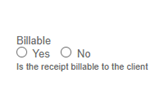
Admins can request a switch from SPP Support that will replace the “Billable receipt” checkbox with a Y/N radio button selection for billable/nonbillable on the expense receipt form. Here’s how to do it:
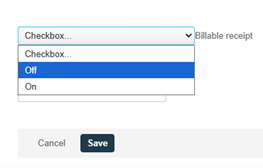
- Before requesting the switch, first open any expense report (test or real) and click “Create New Receipt.” Click the lightbulb (tips) icon > Set default form values > Select “Off” in the dropdown next to “Billable receipt” > Save
- Create a ticket with SPP Support requesting the internal switch “Use a radio button to force selection of billable or non-billable receipt” to be enabled
- Once SPP Support has completed this request, all users will see the radio button on the expense receipt form after a fresh login
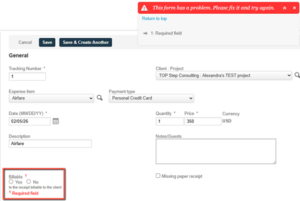
- The form will throw an error if the user tries to save it without first selecting Yes or No