
How to Round Time Entries in SuiteProjects Pro Billing Rules
If you need detailed time entries for internal purposes but don’t want to invoice the customer on granular basis, you can add rounding rules to the billing rules to round out time charges.
To do this navigate to Projects -> (select your project) -> Financials -> Billing and select the Time billing Rule and enter the Rounding Rules. Your result should look something like this.
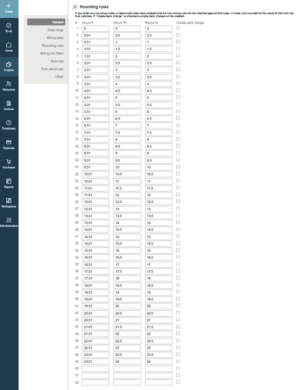
The above example rounds all time to the ½ hour.
This solution can also be scripted to ease entry.

