
How to View Actual Hours, Cost, and Time Charges in SuiteProjects Pro Project Center
The Project Center in SuiteProjects Pro is a powerful tool, used to build project plans and forecast resource hours, labor cost, and time billings. In addition to Forecasting, the “Actuals” toggle allows you view actual time worked, labor cost, and billed hours to date while still displaying forecasted data from the current date forward.
Viewing Actuals the Project Center:
- Navigate to the Projects module > select a project > Project Center view
- To view actual hours worked to date:
- Toggle the “Actuals” switch ON
- Set view to Hours
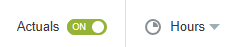
- The Project Center will display actual hours worked to date. Data beyond today reflects remaining forecast hours based on resource bookings.
- To view actual labor cost to date:
- Toggle the “Actuals” switch ON
- Set view to Cost

- The Project Center will display actual labor cost to date. This is calculated by taking the user’s cost rate multiplied by the actual hours worked. Data beyond today reflects forecasted labor cost based on resource bookings.
- To view actual time charges to date:
- Toggle the “Actuals” switch ON
- Set view to Charges

- The Project Center will display actual time billing charges to date. Charge rates are determined by the project’s time billing rule. Data beyond today reflects forecasted billing charges based on time billing rule configuration and charge projection settings.
Important Considerations
- Project Center is only editable when:
- The “Actuals” toggle = OFF
- View is set to Hours
- To view forecasted time billing charges:
- A time billing rule must be configured on the project
- Charge projects must be run

