
Leverage AI to Populate Project Summaries in SuiteProjects Pro
Populating a project snapshot with all of the relevant information can be a time-consuming process and increasingly difficult as the number of projects scale. New in the Spring 2026 release, SuiteProjects Pro now offers a project summary feature that can be pre populated with AI insights to save your team time. The team can make changes to the summary, adding their own inputs or analysis, then save it so that the snapshots can be reviewed later.
Note: To use this feature, the Project Summary must be enabled on your account, included within the project stage settings, and your user must have the proper role permissions to view and edit the summaries.
Create a Project Summary
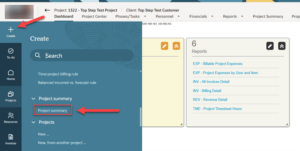
Start by opening the project in SuiteProjects Pro for which you’d like to create a summary. Next click create in the top left corner, then click Project Summary
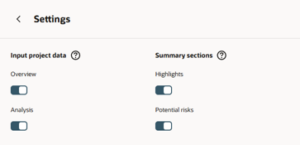
A side pane will appear on the right of the screen. Click Settings to choose which attributes are included within the AI Summary.
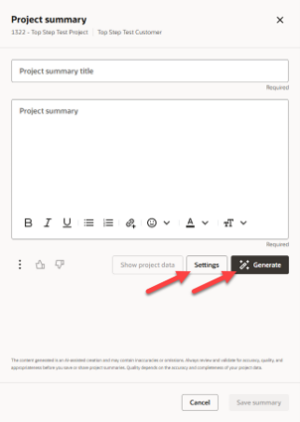
Click back to the project summary overview, then click Generate to trigger the AI review.
After several moments, the AI will populate the summary section with financial performance data, budget details, cost analysis, highlights, and risks. You may edit any part of the summary or add details that might not be included within SuiteProjects Pro.
Note: Personally identifiable information (PII) such as employee names, customer names and project names are not sent to the LLM. SuiteProjects Pro replaces PII with placeholders before sending the request to the AI service, and after receiving the response from the AI service, replaces the placeholders with the original PII.
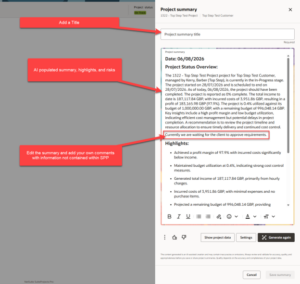
To help with manual edits, SuiteProjects Pro also provides project data that can be reviewed while writing the summary.
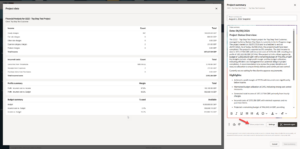
When satisfied, give the Summary a title, then click Save Summary.
Review Summary History
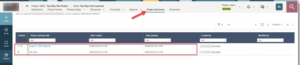
This summary and any previously generated summaries can be viewed in the Project Summary tab. Click to review details
In Use
It is good practice to record summaries after each phase or milestone within the project so that they can be used as snapshots to those points in time. The summary history can be used during retrospectives to understand where the project stood and help identify areas of improvement.

