
Expert Quick Tips

Populating a project snapshot with all of the relevant information can be a time-consuming process and increasingly difficult as the number of projects scale. New in the Spring 2026 release, SuiteProjects Pro now offers a project summary feature that can be pre populated with AI insights to save your team time. The team can make…

When running a Crosstabbed report for Projects in SuiteProjects Pro the report will omit Projects that don’t have any activity. It’s possible to trigger the system to include a Project by creating a custom calculation for the project Budget. In order to create the Budget custom calculation, we first need to create a Constant. Steps…

Large projects can take longer to update when every task is recalculated after a change. SuiteProjects Pro now includes an optimization that limits recalculation to only the affected tasks, improving performance and responsiveness. By default, when a task is created, duplicated, deleted, modified, moved, or copied, the system recalculates all tasks associated with the project.…

By default, when an account is set up to enter planned hours for each assigned user, assigning an Assignment Group to a task applies the planned hours to each member of the group. For example, if you enter 20 planned hours for a task and assign an Assignment Group with 5 members, each member is…

Finding ways to API, CSV, Workflow, Script or Manually update transactions so that they align with Project-level Classification in Netsuite are a breeze with the Oracle “Project Classification” SuiteApp. This SuiteApp will allow you to segment Projects (adding custom Department, Location, and Class Classifications) and derive Transactional Columns or Headers from those Projects in Netsuite.…
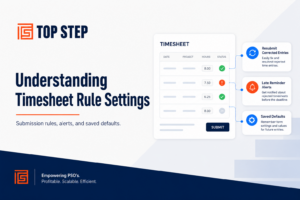
Timesheet Rules help control how users create, submit, and manage timesheets. The following settings allow administrators to customize system behavior for common timesheet scenarios. Ignore Rules on Submission of Timesheets with Individually Rejected Time Entries What this setting does When enabled, this setting ignores a user’s personal Timesheet Rules when they resubmit a timesheet that…

If your team creates a high volume of new SuiteProjects Pro projects, you can save time and reduce setup errors by pre‑defining default Project Approval values on new projects. This ensures every new project starts with the correct approval structure — no more manual cleanup later. Why it matters. Can ensure consistent approval routing across…

One of the view options under Projects > Phases/Tasks that is often overlooked or underutilized is the Task Worksheet. While the Worksheet grid is a bit less aesthetically pleasing than the Outline or List views, it offers some unique advantages and functionality to make bulk changes to tasks that the other views don’t. Additionally, the…

The resource utilization overview is the default resource booking planner view. It shows a list of resources and bookings with a graphical overview of bookings and utilization for each resource over a period of time. To access the resource utilization overview, go to Resources > Bookings > Planner and click Resource in the resource booking planner toolbar.…

If you need detailed time entries for internal purposes but don’t want to invoice the customer on granular basis, you can add rounding rules to the billing rules to round out time charges. To do this navigate to Projects -> (select your project) -> Financials -> Billing and select the Time billing Rule and enter…

