Searching for Resources in the SuiteProjects Pro Project Center
You can use the resource search functionality to search for resources matching your profile, job code and availability criteria, and review other projects these resources are booked to directly from the project center to find the best staffing fit for your projects.
You can use the resource search to add a new resource on a project or task level and to replace a resource on a booking row.
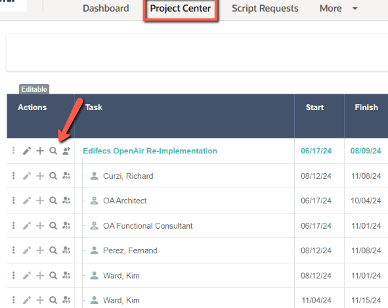
In the project center view, locate the row for the task you want to add a resource to (or the root row for the project if you want to add a resource at the project level), or locate the booking row for which you want to replace the resource. Click the search icon  to open the resource search panel.
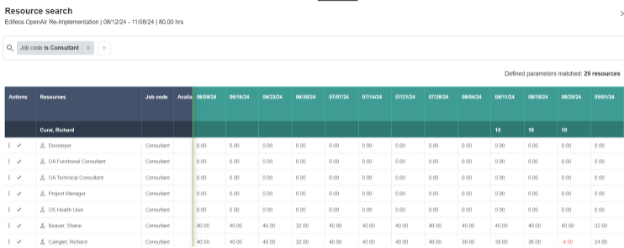
The resource search title includes:
- The name of the project, task or booking.
- The project, task, or booking timespan, as defined by:
- The start and end dates for the project or task you are adding a resource to.
- The start date of the first booking and end date of the last booking in the row, if you are replacing the resource on a booking row. In this case, the subtitle also shows the number of requested hours.
- The number of requested hours (only when replacing a resource).