
How to Bulk Update Auto-Billing Settings Across Multiple Projects in SuiteProjects Pro
Many organizations are transitioning from automatic billing transaction creation to manual approval processes, allowing finance teams to review charges before they’re generated. The manual approach provides better control over month-end and week-end invoicing cycles and ensures more accurate reporting.
By default, the system automatically creates charges when transactions (Time, Expenses, Purchases, or Fixed Fees) are approved or when specific criteria are met. You can modify this default behavior through Administration > Application Settings > Projects > Project billing defaults. However, these changes only apply to newly created projects.
This guide demonstrates how to update auto-billing settings for existing projects in bulk in SuiteProjects Pro.
Step-by-Step Process
1. Select or identify an existing Project where the Auto-bill settings will be copied from:
• Go to the Project
• Hover the cursor on the Financials tab, then click to Billing.
• Under Auto-run, select the setting you want to copy to other Projects. (select Do not auto-bill to turn off). For reference in this example, we will be selecting Project: Hardware Implementation
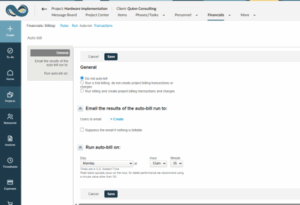
- Click Save.
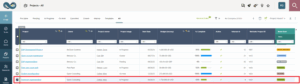
2. Go to the list of Projects and mark the checkbox beside the project we selected on Step #1
3. Click the Bulk Actions at the middle top part of the list
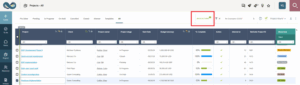
4. Select Tag the project and click OK. This process is called Tagging the Project.

5. On the list of Projects again, mark the checkboxes of Projects where the Auto-bill settings will be copied to
6. Similar to Step #3, once done marking the checkboxes of selected Projects, click the Bulk Actions again but this time select Copy project billing auto-bill settings from the tagged project then click OK
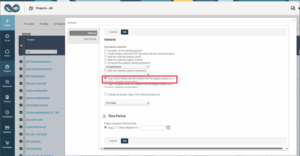
Results
This process efficiently copies the auto-billing configuration from your template project to all selected target projects, ensuring consistent billing behavior across your project portfolio without requiring individual project updates.
Benefits
- Time Savings: Update multiple projects simultaneously instead of configuring each one individually
- Consistency: Ensure uniform billing settings across all relevant projects
- Control: Enable finance teams to review charges before automatic creation
Flexibility: Easily switch between automatic and manual billing processes as business needs change

