
Find Unbilled Resources Fast with SuiteProject Pro’s Resource Visibility Setting
Planning resources but can’t see who’s actually available? You might be missing team members with zero bookings entirely!
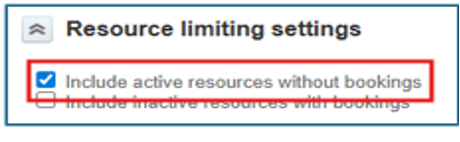
The “Include active resources without bookings” setting in Bookings – Planner solves this by showing all active users, not just those already booked.
Why this matters:
- See the full picture – spot completely available resources at a glance
- Reduce bench time – identify underutilized team members immediately
- Speed up staffing – view all options when assigning new projects
To enable: Resources → Bookings → Planner → Settings gear icon → Check “Include active resources without bookings”
Pro tip: Use Advanced Filters alongside this setting to focus on specific departments or roles while still seeing all available resources.
Unlike Bookings – List (which only shows existing bookings), this Planner view ensures no available talent gets overlooked during resource planning.

