Bulk User Change Wizard in SuiteProjects Pro
One of the key responsibilities of SuiteProjects Pro (SPP) administration is the creation and maintenance of user records. Whether making a one-off change, or pushing system-wide updates to users, this can be a time-consuming process.
SuiteProjects Pro makes this effort much easier with the use of a feature called Bulk User Change Wizard. The Bulk User Change Wizard is an out-of-the-box feature that is available to all system administrators, or selected roles* as configured.
Finding the Wizard
You can access the feature by following the path Home > Dashboard
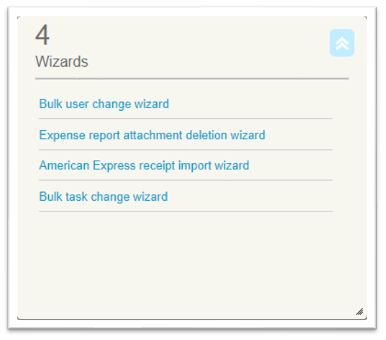
Using the Wizard
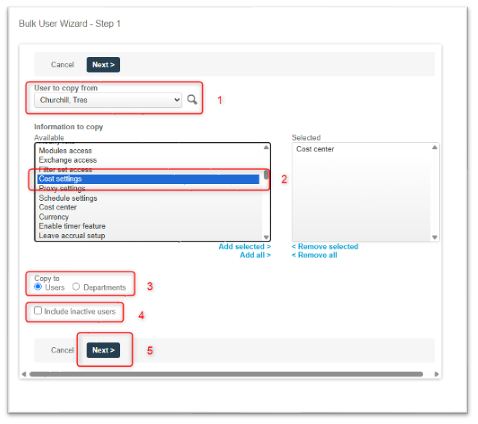
- First, you will need to select the user whose value/setting you want to copy from.
- Next, you will need to select the value(s) and/or setting(s) you want to copy.
- Once you’ve selected the value/setting, you have some options:
- You can select to push the value/setting to individual users, or entire departments. (Which option you choose is based on your specific needs, and how your department values are used)
- You may also opt to include inactive users in your change(s)
- Once you have made your selections, click Next >
*See Notes below
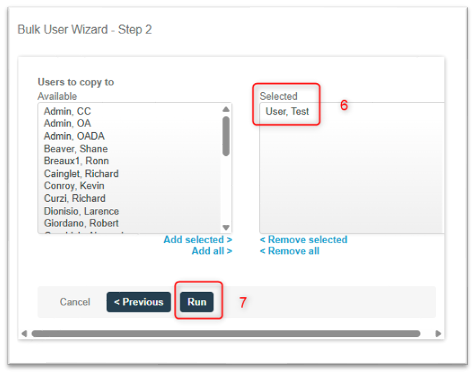
- Select the user(s) or department(s) you want to update, then
- Click Run
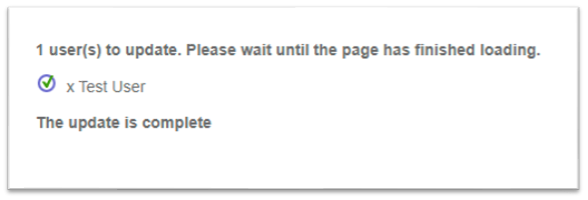
After the update runs you will see a confirmation message
Notes
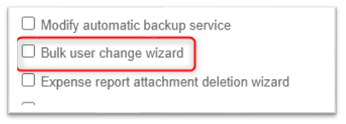
- Access to Bulk User Change Wizard is controlled via Role Permissions. To enable, follow the steps below:
- Navigate to Administration > Global Settings > Users > Roles > Select Role
- My Account Section: Check Bulk user change wizard
- Click Save
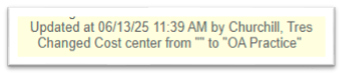
- Changes to user records made by the Bulk User Change Wizard will appear in the audit trail report as updates from the user who used the feature: